CMS Filter
Advanced filtering for your CMS content with sorting and pagination. Dynamically adjust filters based on search results for a better user experience.
Copy the CMS Filter <script> and paste into the <head> of your page.
<!-- [WebTricks by CodeRaccoons] - CMS Filter -->
<script async src="https://cdn.jsdelivr.net/gh/TheCodeRaccoons/WebTricks@1/Dist/WebflowOnly/CMSFilter.min.js"></script>Required attributes
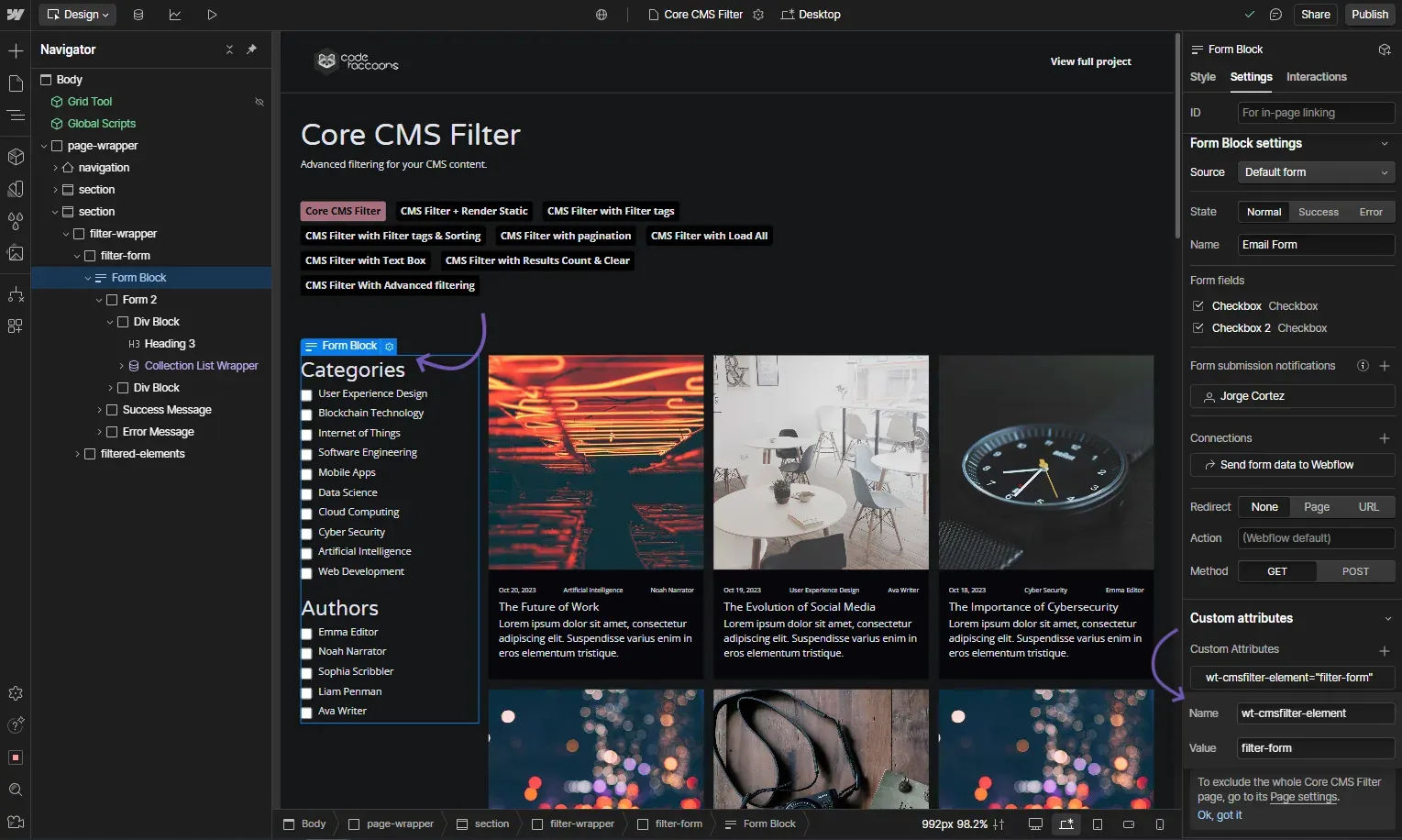
CMS Filter - Filter form
Attribute to add
wt-cmsfilter-elementfilter-formInstructions
This is the form that will host all of the filters, this can contain checkboxes, radio buttons, text inputs, and selects.
How does it look?
CMS Filter - Result List
Attribute to add
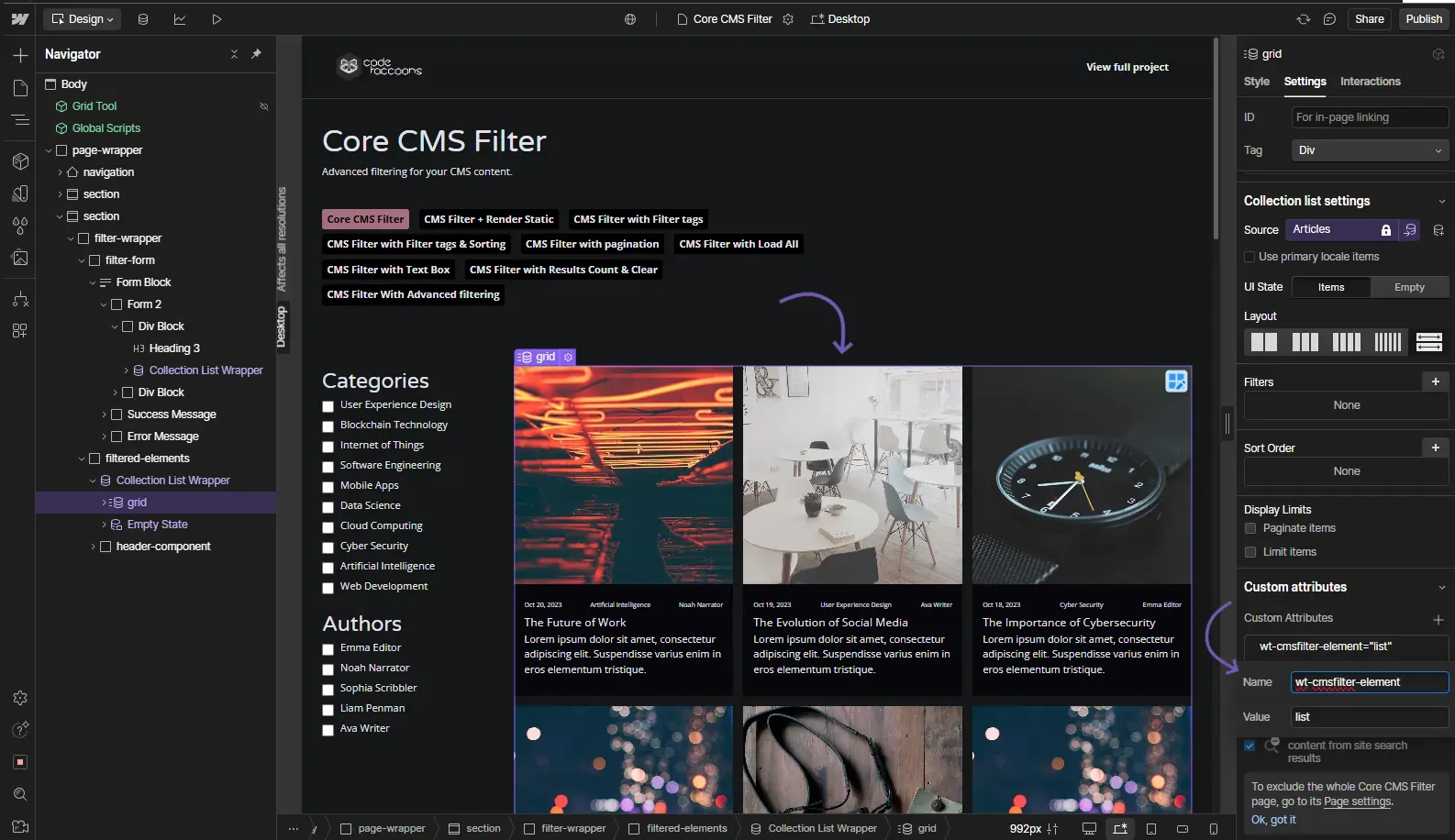
wt-cmsfilter-elementlistInstructions
This will be the CMS collection list that we will be filtering
How does it look?
CMS Filter - Filter Category
Attribute to add
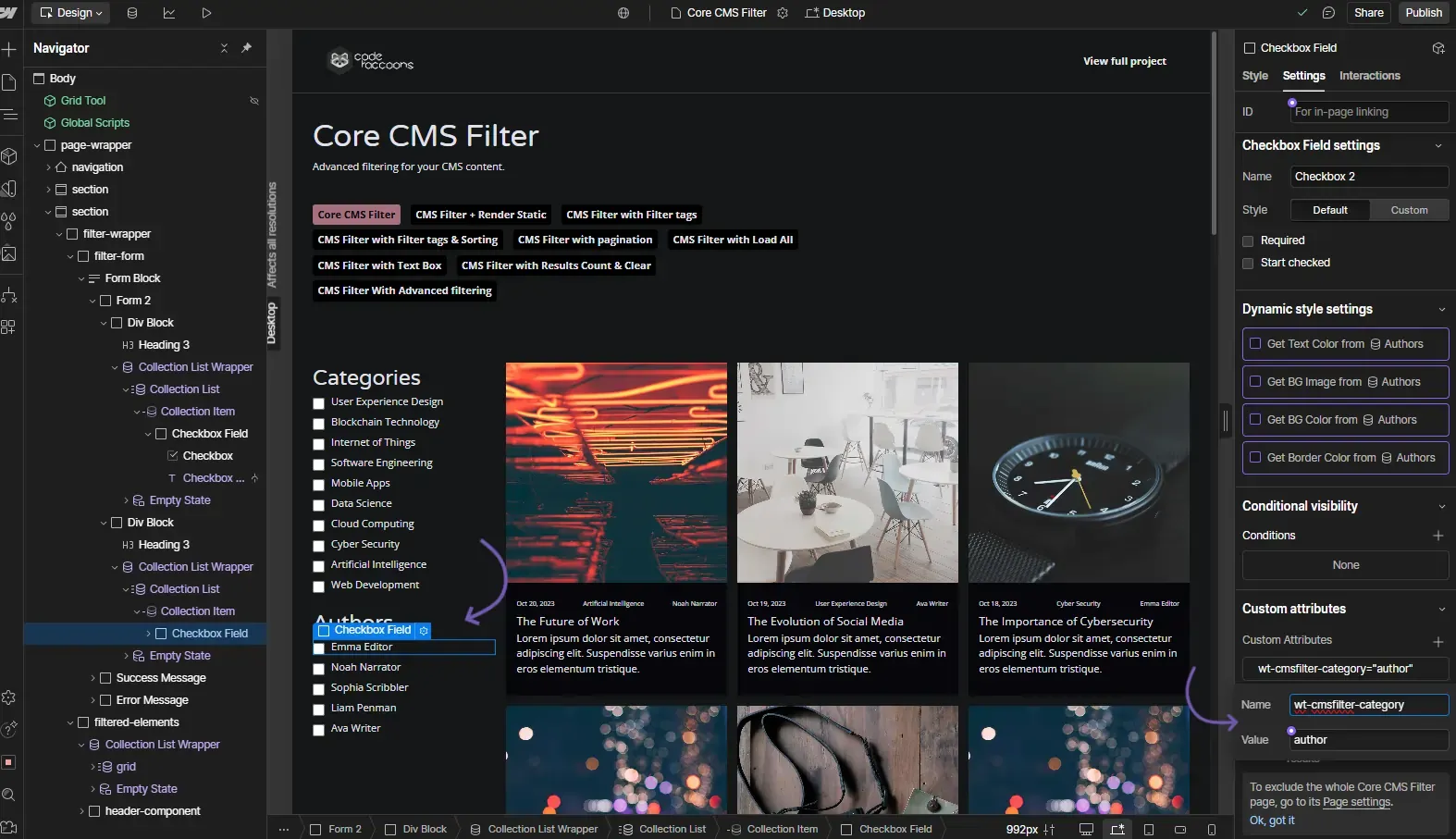
wt-cmsfilter-category{category identifier}Instructions
The Category value relates the filter element to the correct data attribute or element within the Webflow CMS list.
The Category will define a filtering group, the value can be whatever you want, but they should be descriptive, like "Category", "Price", "Name", "Author", etc.
This is how the Filter elements match the items within the CMS List.
How does it look?
CMS Filter - Data Attribute
Attribute to add
data-{category}{category identifier}Instructions
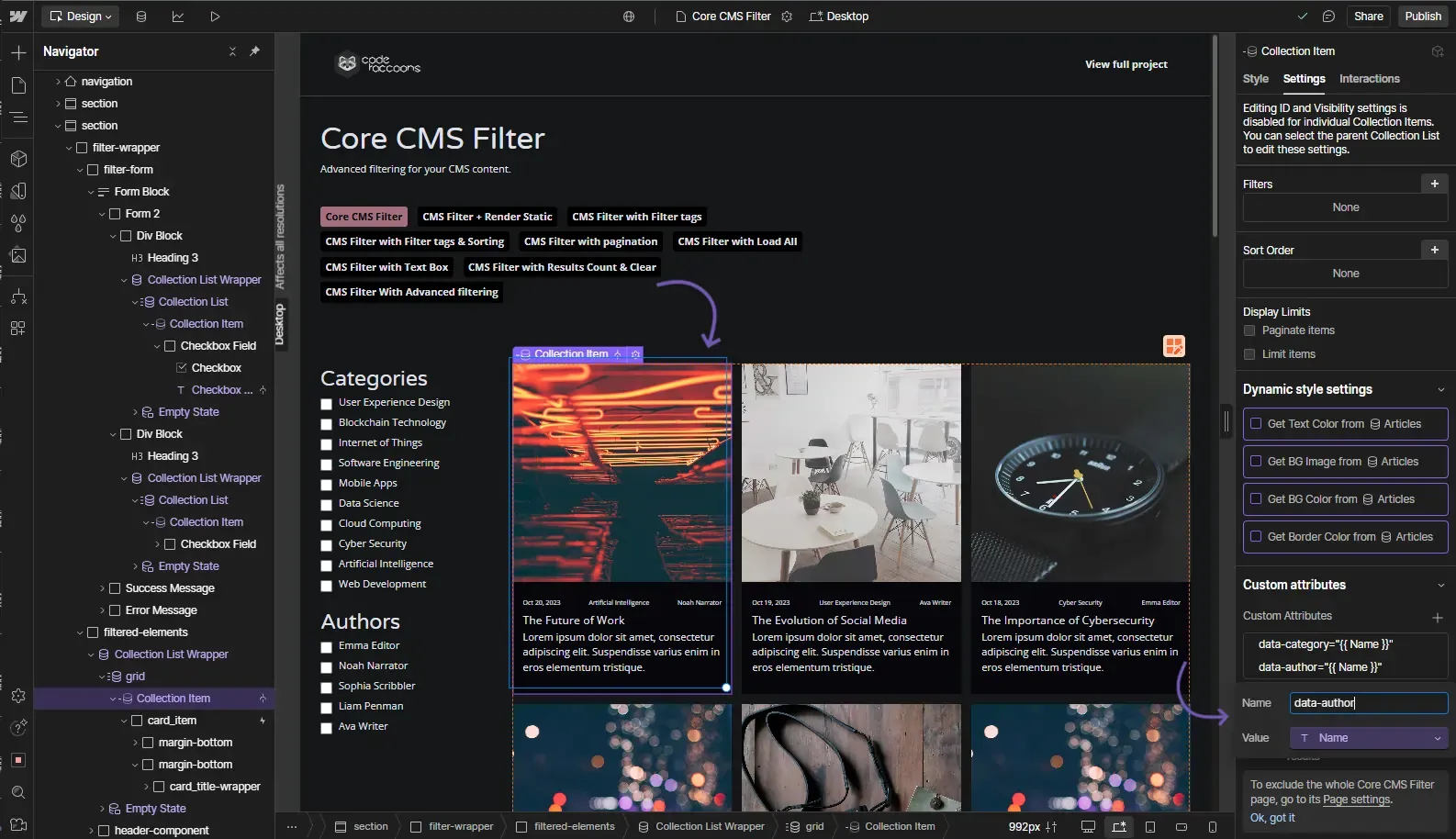
To improve on performance we are utilizing data attributes in order to filter the elements within the CMS collection. To do this in the Collection List Idem we can add data attributes in the following way:
If we have the category "wt-cmsfilter-category" with a value of "Author" then we need to add a data attribute like data-author with the Author Name as the value; This will let CMSFilter know which is the correct filter to apply.
we can filter by as many values as we want and it prevents us from the need to add additional hidden elements within the collection items.
I want this collection items to be filtered by the following filters
Inside the Collection List Item block that comes by default within the CMS Collection List.
How does it look?
Optional attributes
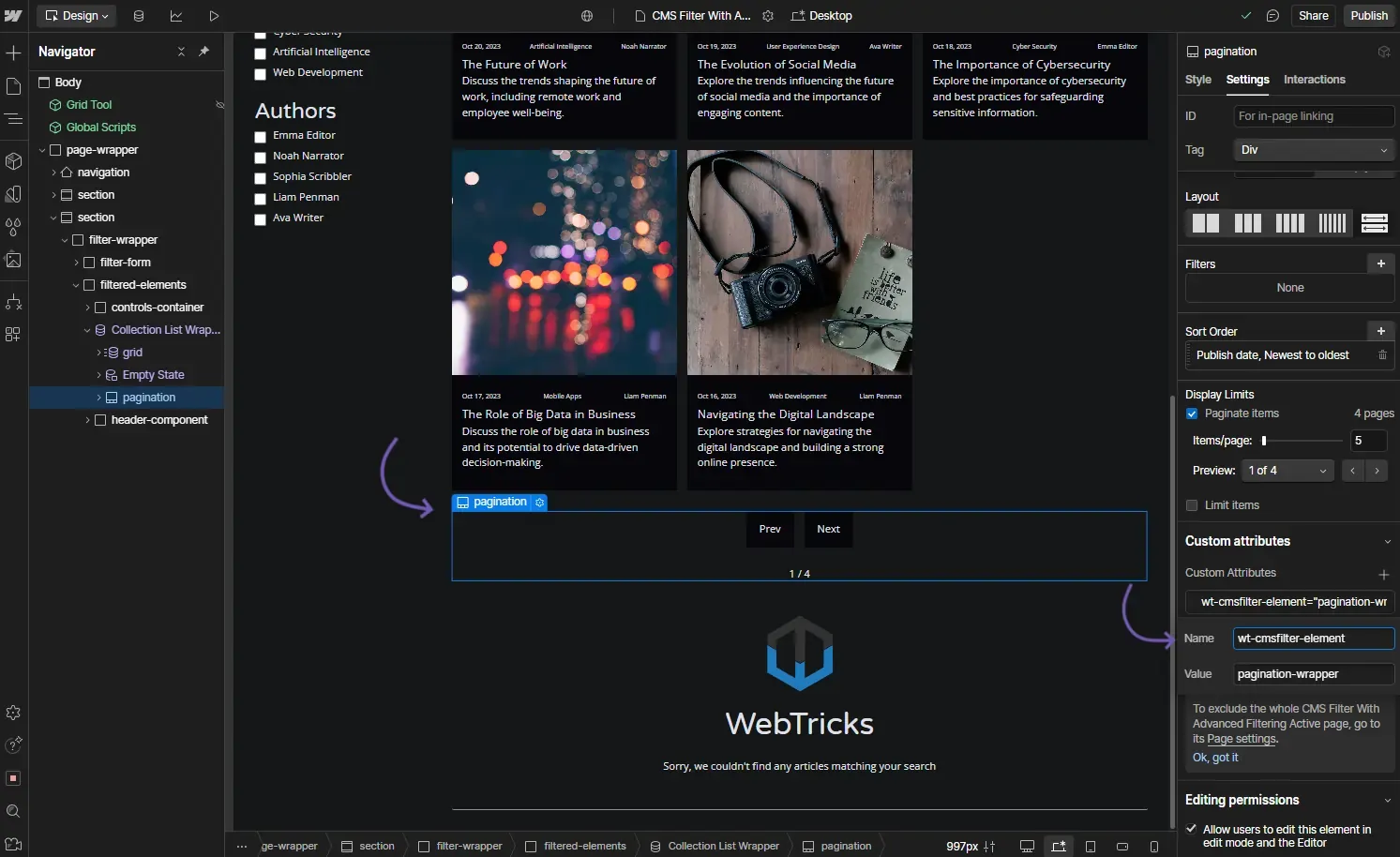
OptionalCMS Filter - Pagination Wrapper
Attribute to add
wt-cmsfilter-elementpagination-wrapperInstructions
This is a REQUIRED attribute to get the pagination options to work.
The element does not have to be visible for the pagination to work but it do need to be enabled.
If no options are added to the pagination-wrapper by default the functionality will run as load-all and will gather all elements in the collection.
Tat being said, if this element is not set the filter WILL work but will only filter the available elements rather than all elements in the list.
This pagination element includes the pagination tabs for the CMS Filter
Add this attribute to the CMS list's pagination element
How does it look?
OptionalCMS Filter - Load Mode
Attribute to add
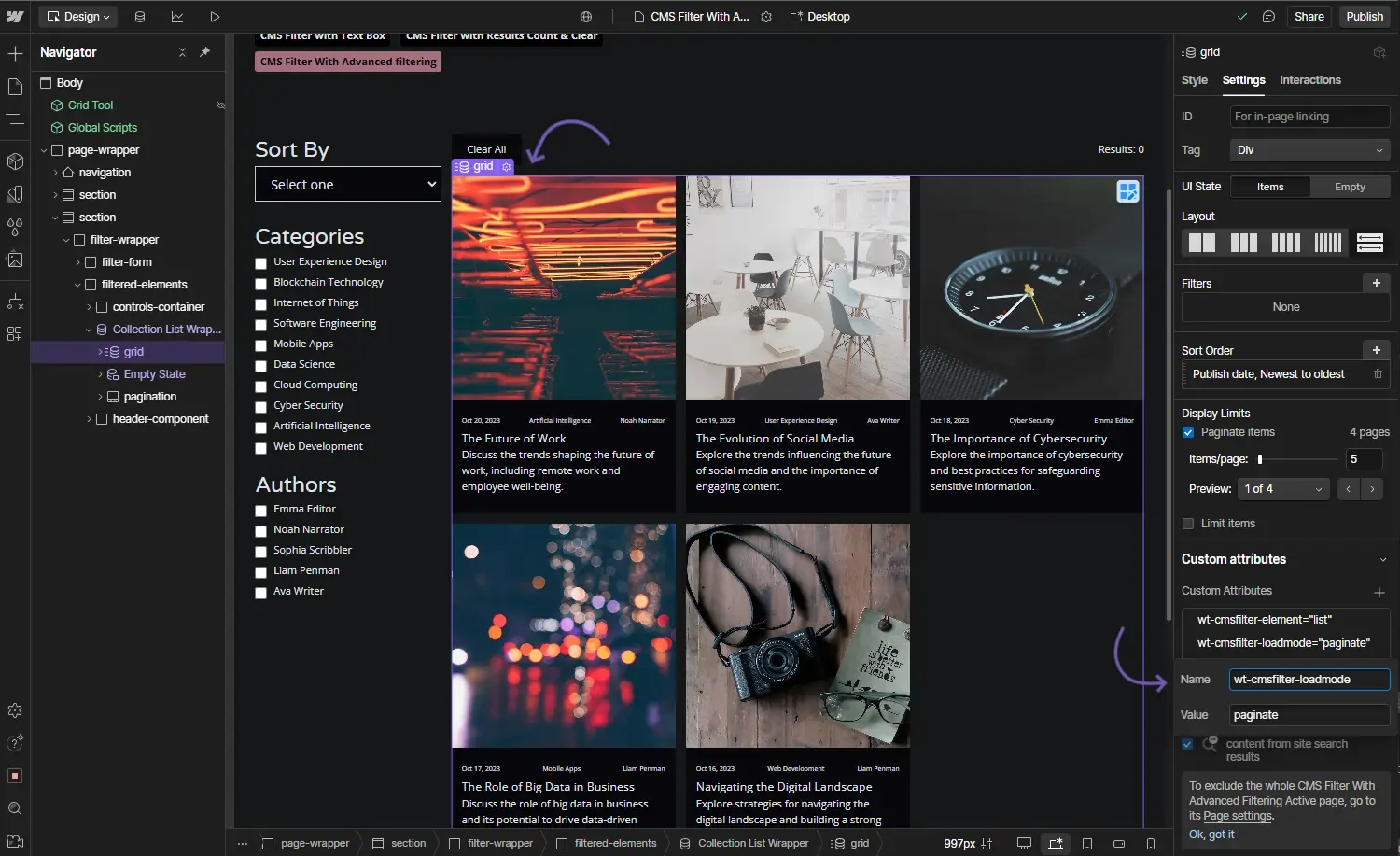
wt-cmsfilter-loadmode{load-all | paginate}Instructions
Currently 2 options are available:
paginate: Will handle pagination same way as webflow's pagination works. It is recommended to add a next/previous buttons if this option is selected. load-all: if this value is set then all elements within the collection list will be loaded.
I want the pagination to Load All elements on the list or paginate the elements
Add this to the CMS Collection List that is being filtered.
How does it look?
OptionalCMS Filter - default buttons
Attribute to add
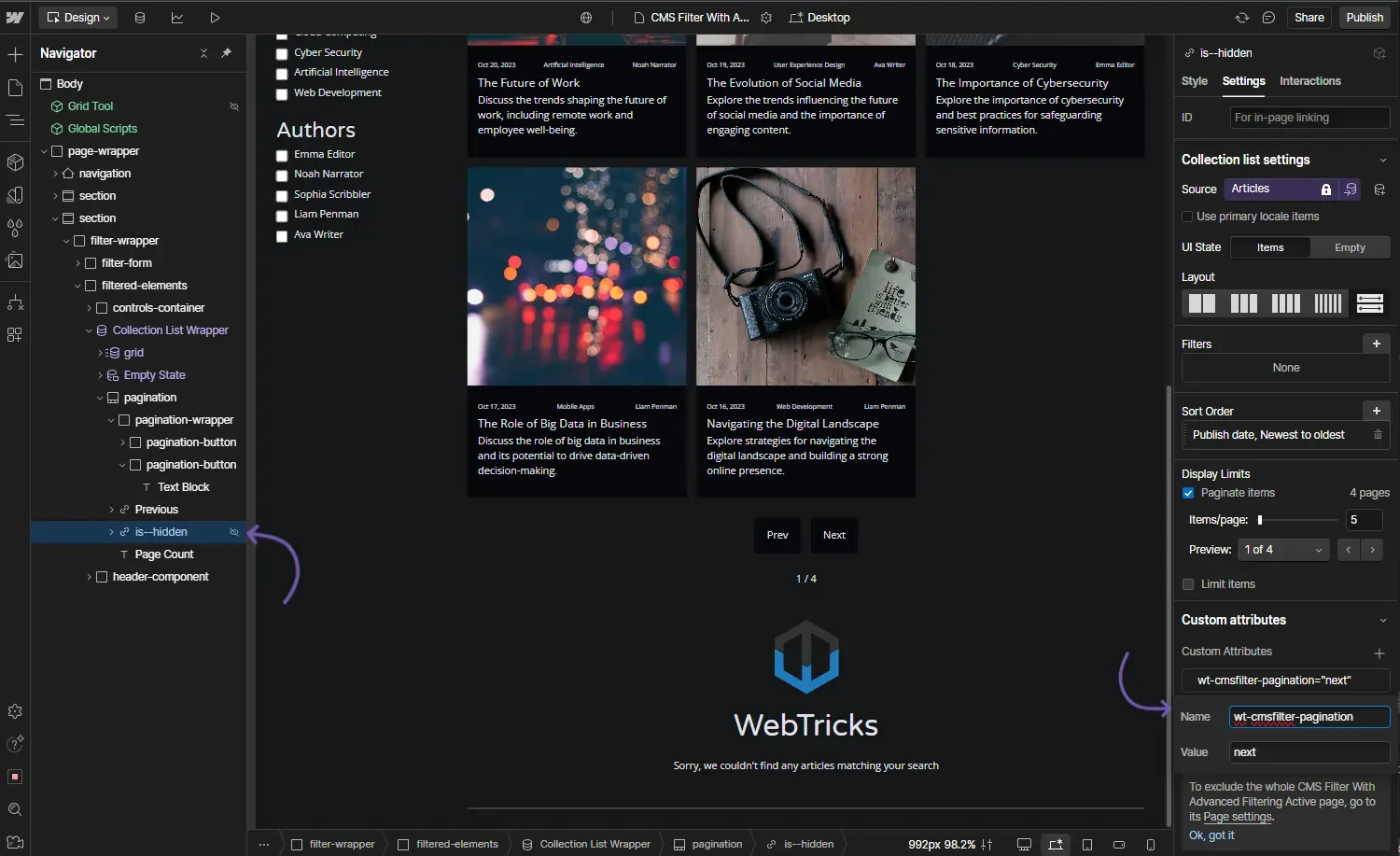
wt-cmsfilter-pagination{ prev | next }Instructions
Though this elements come by default on Webflow we are not using their default functionality in order to go to the next/prev page.
This are the collection's default previous and next buttons
This attribute goes on webflow's default next/previous elements
How does it look?
OptionalCMS Filter - Custom Buttons
Attribute to add
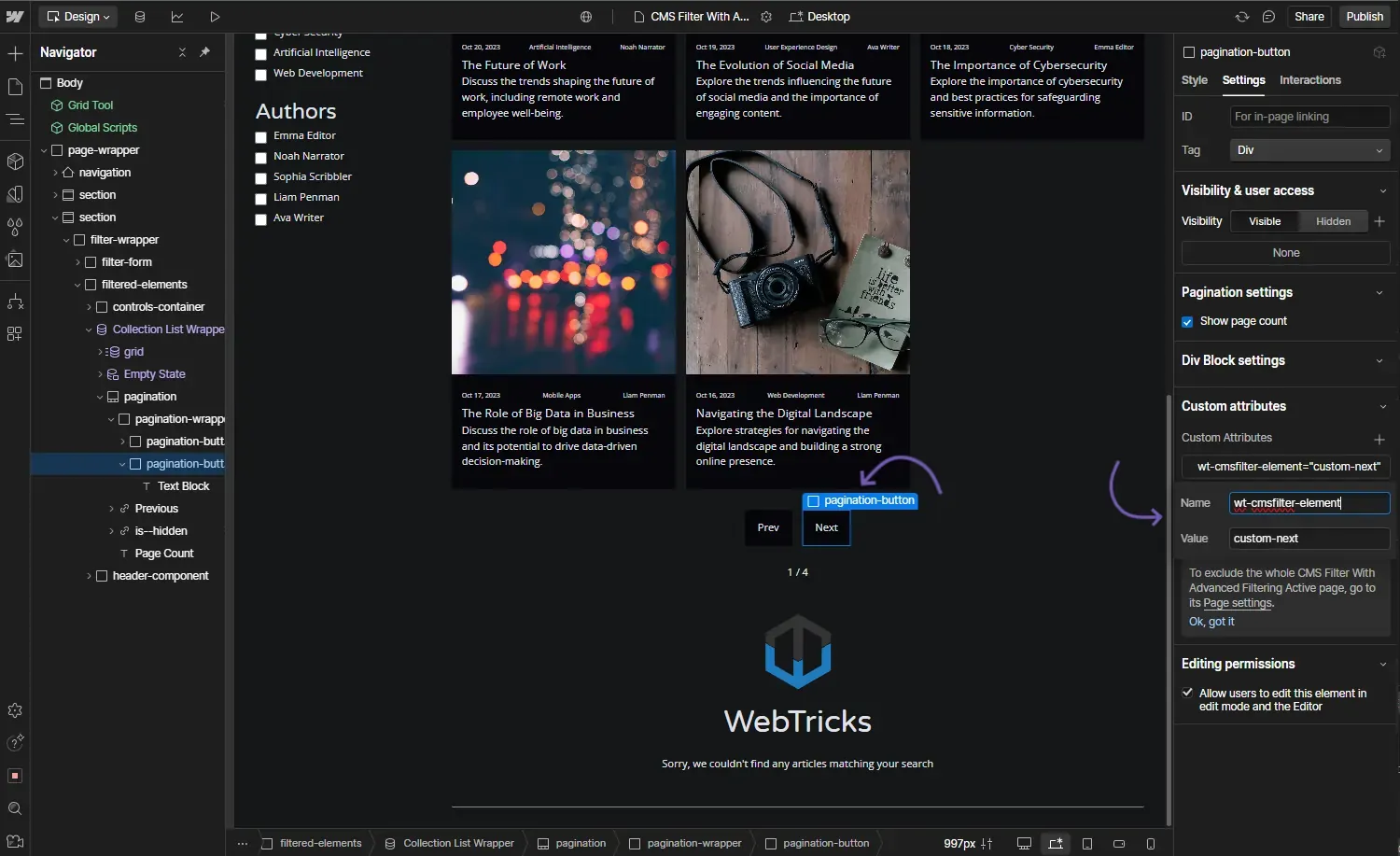
wt-cmsfilter-element{ custom-next | custom-prev }Instructions
This can be any element on the page.
How does it look?
OptionalCMS Filter - custom class
Attribute to add
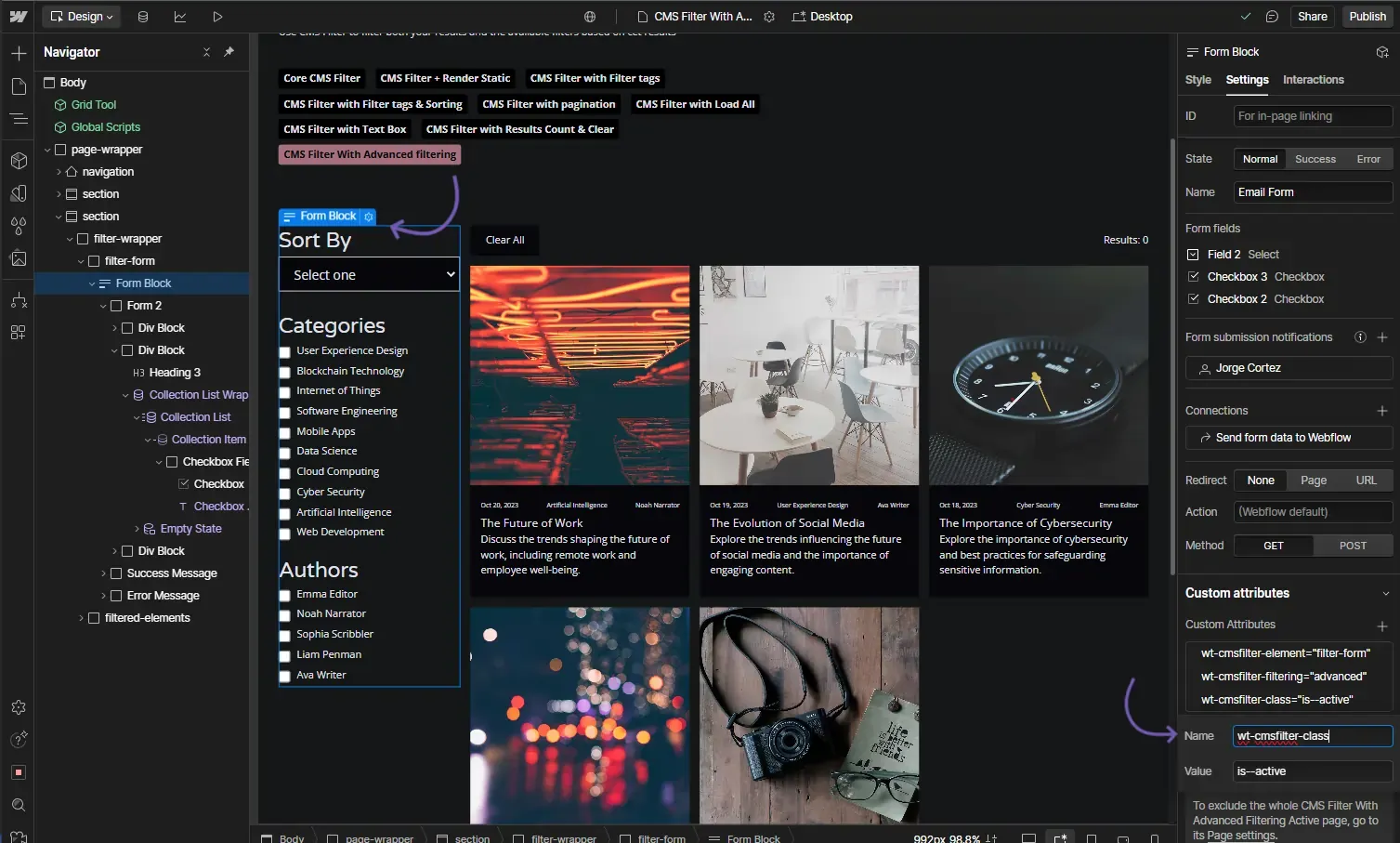
wt-cmsfilter-classCLASS NAMEInstructions
This class will be added to any element that is currently an active filter (checkbox or radio only)
I want this class to be added to checkboxes and radio buttons when the option is active.
Add this to the Form block with the attribute wt-cmsfilter-element="filter-form"
How does it look?
OptionalCMS Filter - Sort Options
Attribute to add
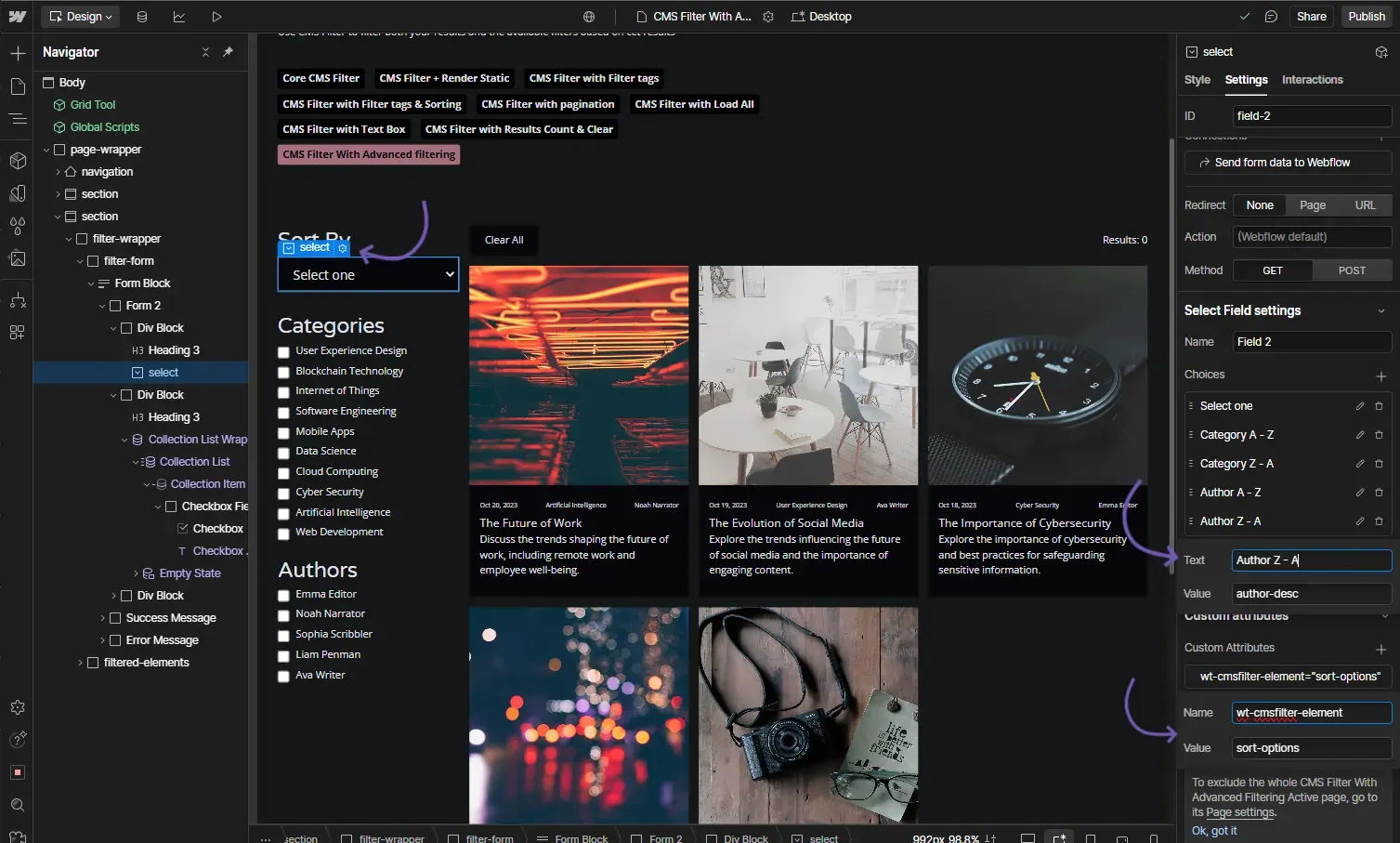
wt-cmsfilter-elementsort-optionsInstructions
This sort element doesn't need to be within the same form block that contains the filters, it can be anywhere in the page.
The category names used to sort here MUST NOT contain any sort of dashes (-) When adding the sort there are some options that can be added:
- CATEGORY-asc
- CATEGORY-desc
How does it look?
OptionalCMS Filter - Range
Attribute to add
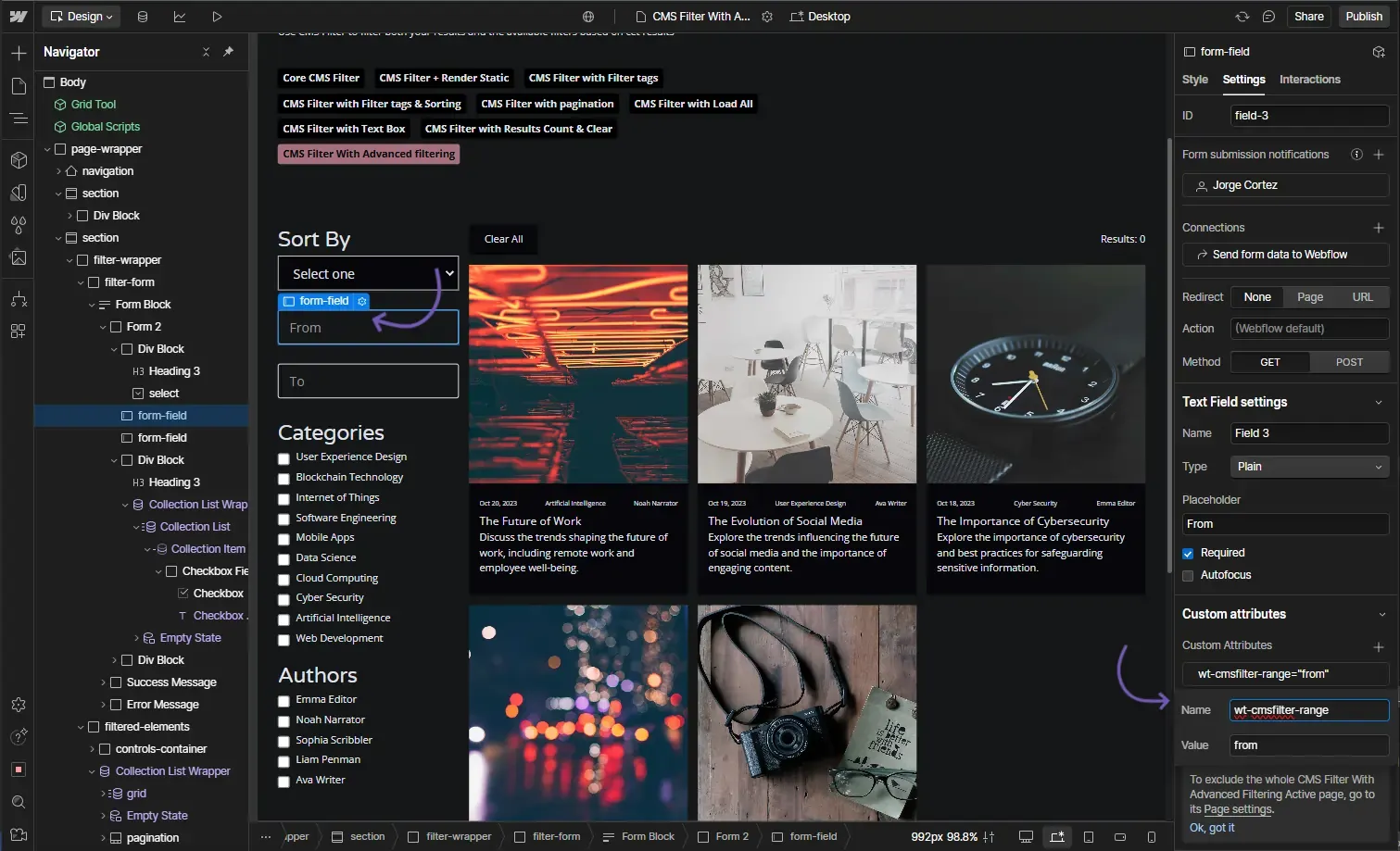
wt-cmsfilter-range{ from | to }Instructions
This element connects 2 fields to set both a starting and ending values for filtering.
This element has 2 possible values:
- from
- to
How does it look?
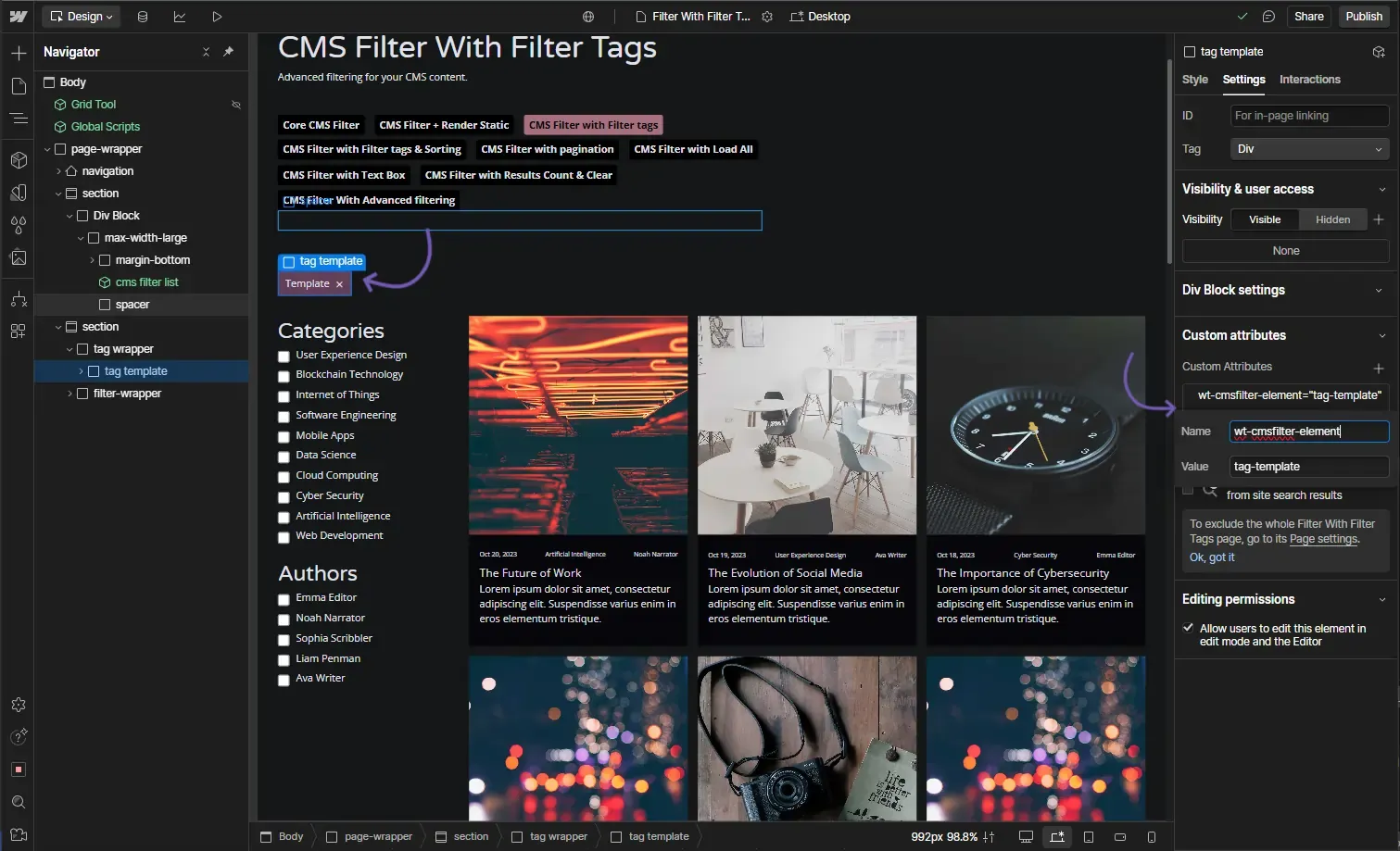
OptionalCMS Filter - Tag Template
Attribute to add
wt-cmsfilter-elementtag-templateInstructions
When added the tag template will be hidden until a filter is selected, once a filter is selected the selected filters will show up as tags inside of the parent of the tag template.
How does it look?
OptionalCMS Filter - Tag Text
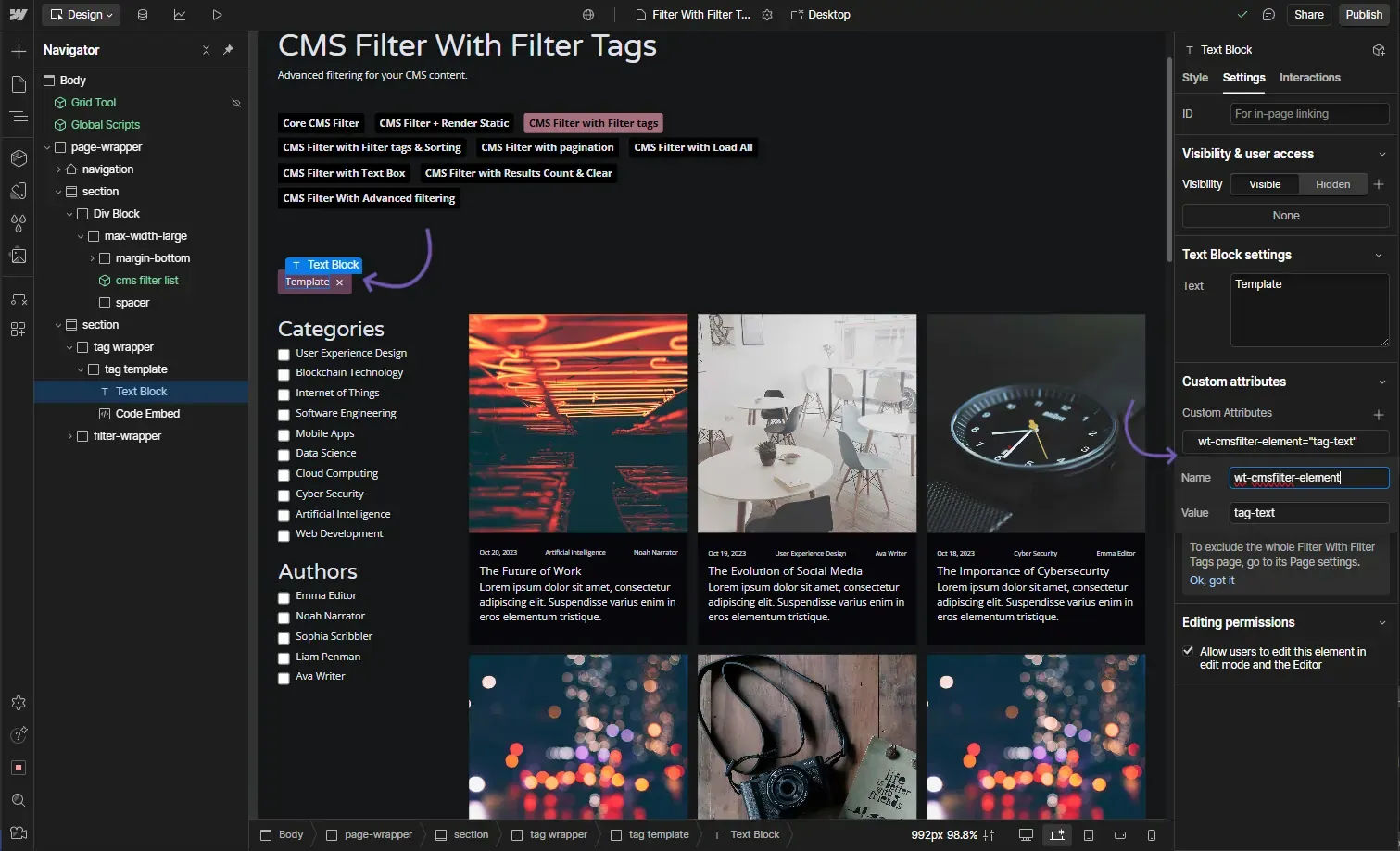
Attribute to add
wt-cmsfilter-elementtag-textInstructions
This is the text within the tag template that will show the filter categories
I want this text element to show the category of the selected filters
This element goes inside of the element with the attribute wt-cmsfilter-element="tag-template"
How does it look?
OptionalCMS Filter - Tag Remove
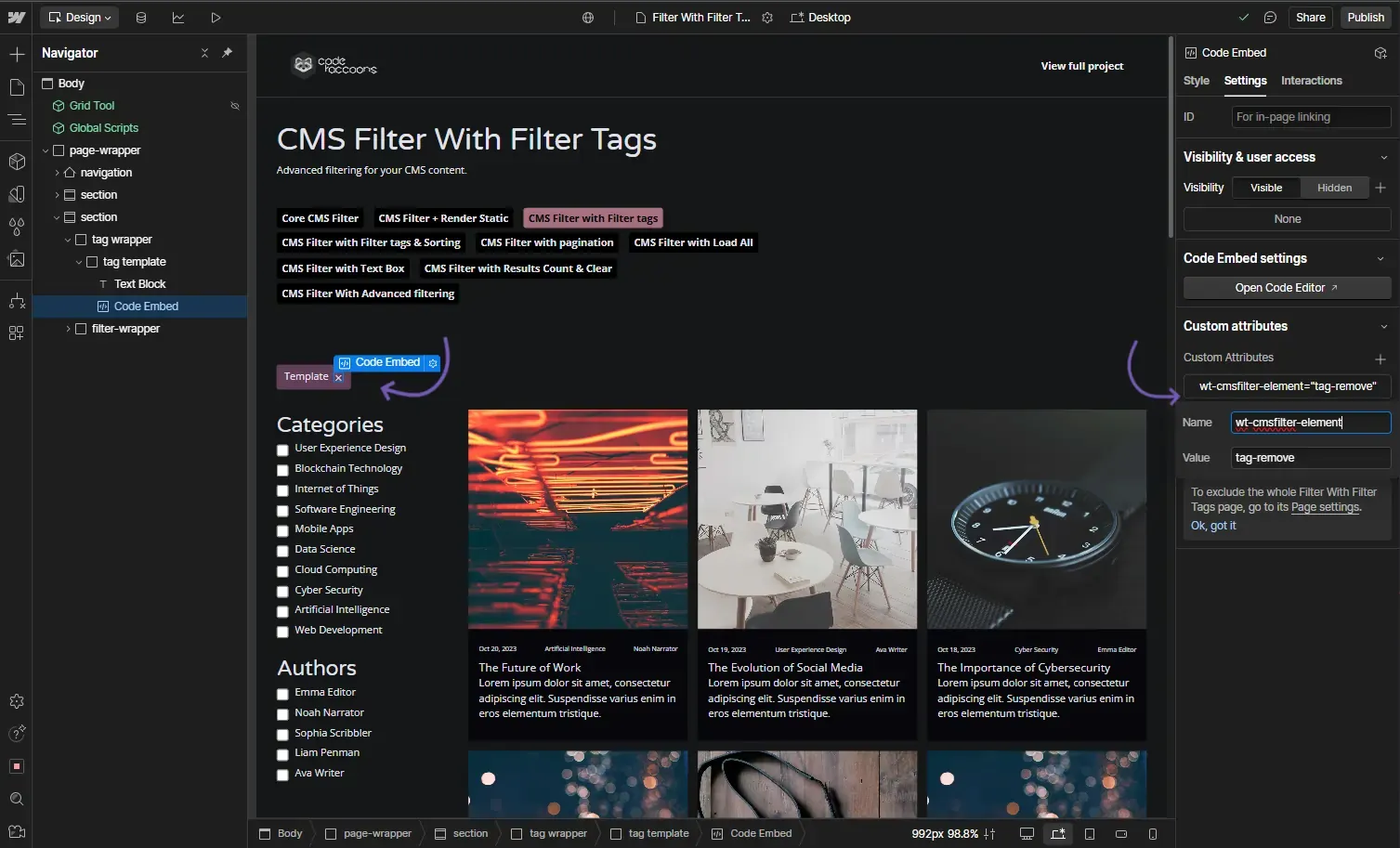
Attribute to add
wt-cmsfilter-elementtag-removeInstructions
This is used in order to set the close / exit / remove button on a filter tag
I want this element to act as a remove button for the tag template
This element goes inside of the element with the attribute wt-cmsfilter-element="tag-template"
How does it look?
OptionalCMS Filter - Clear All
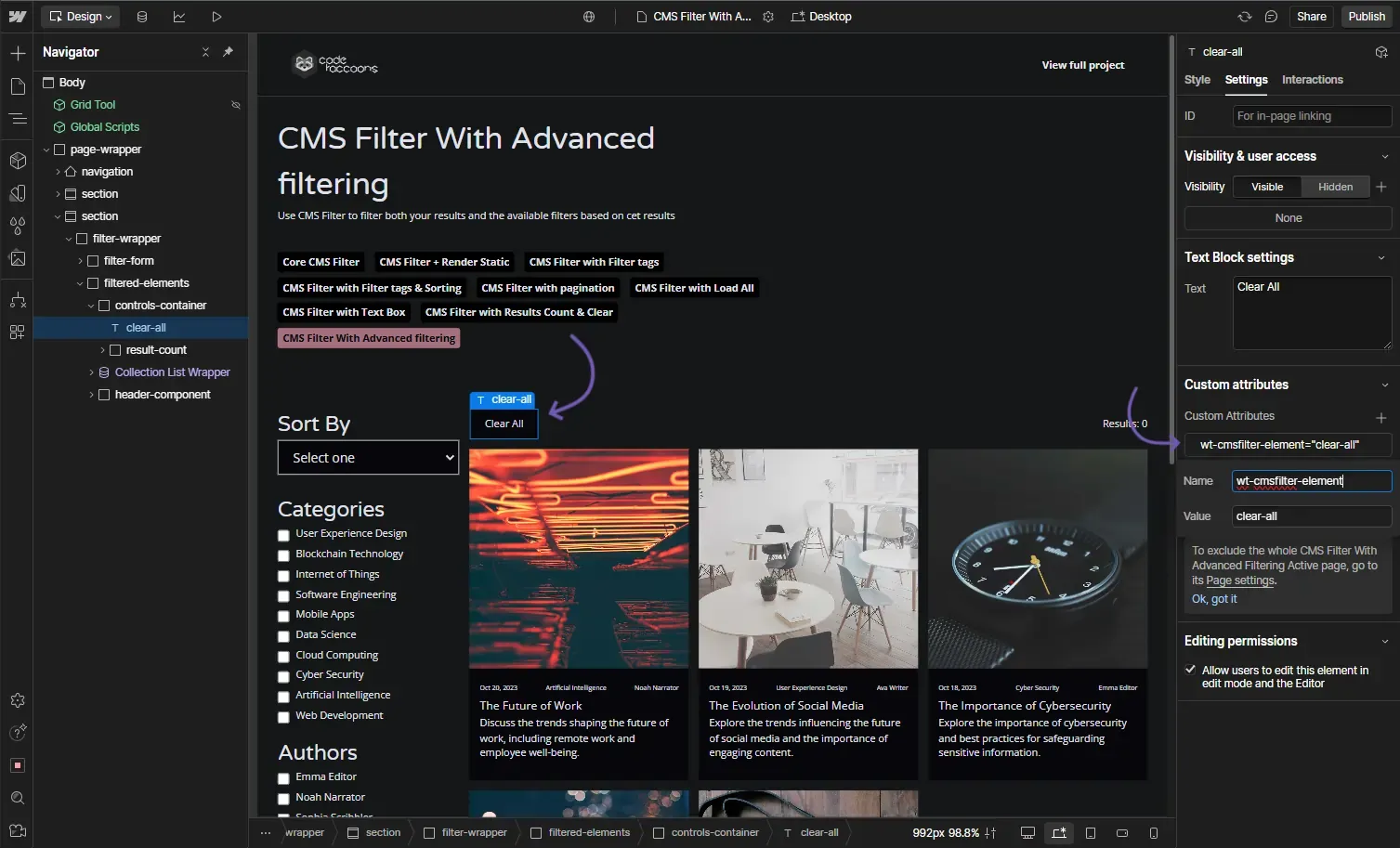
Attribute to add
wt-cmsfilter-elementclear-allInstructions
Use this attribute to set a trigger that will clear all filters on click.
How does it look?
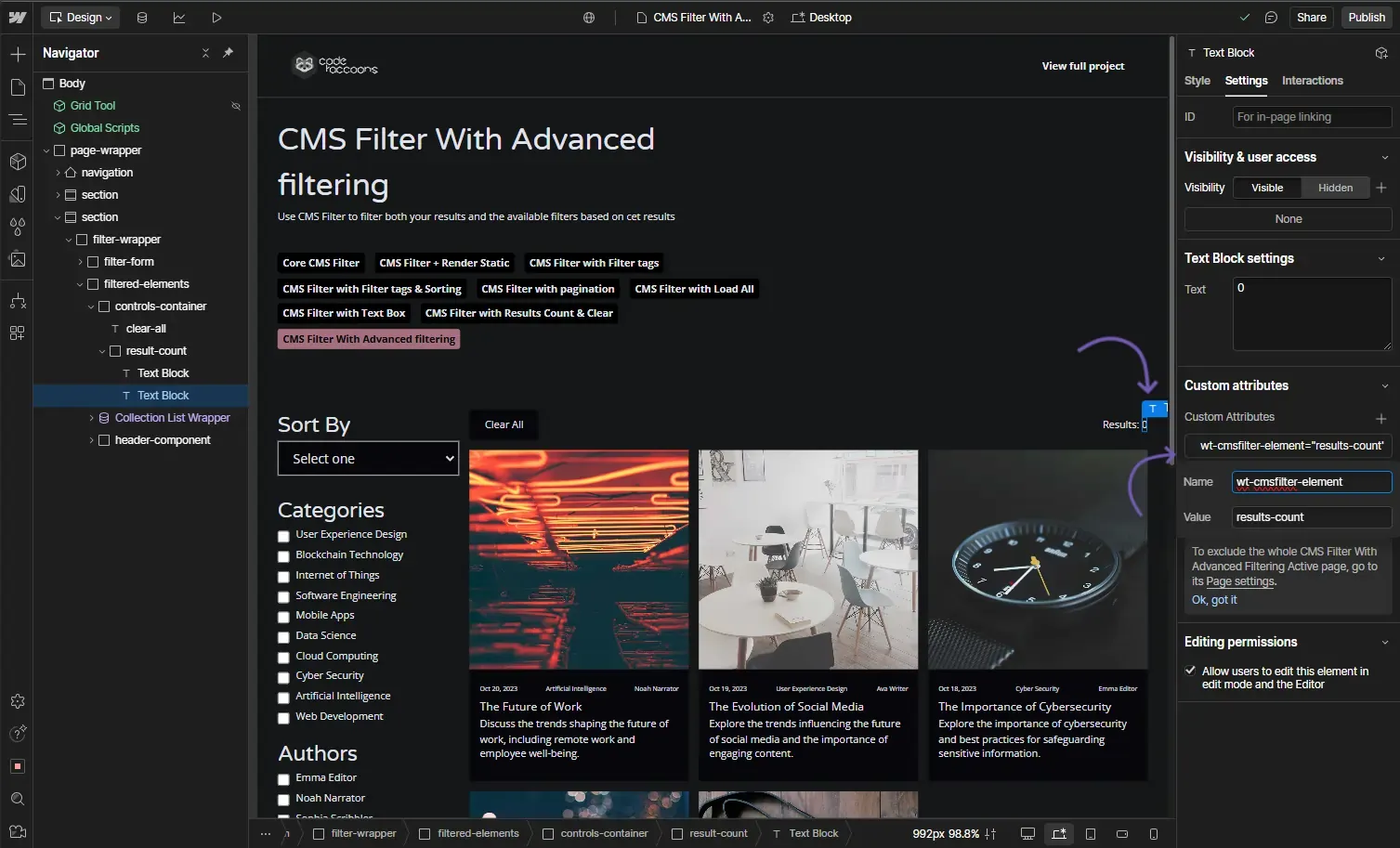
OptionalCMS Filter - Result Count
Attribute to add
wt-cmsfilter-elementresults-countInstructions
This element will show the number of filtered results
How does it look?
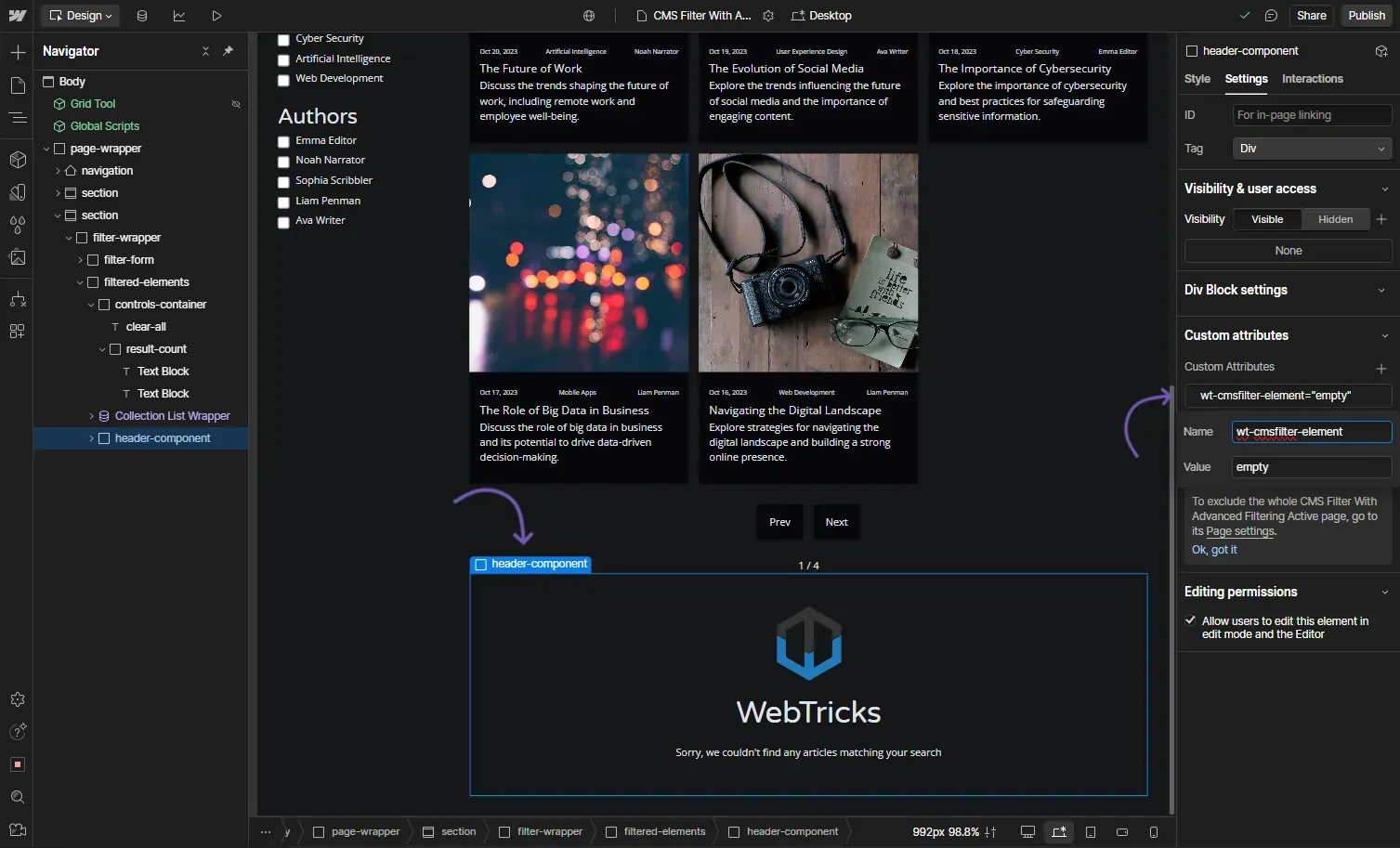
OptionalCMS Filter - Empty
Attribute to add
wt-cmsfilter-elementemptyInstructions
Specifies an element to display when no results are found.
How does it look?
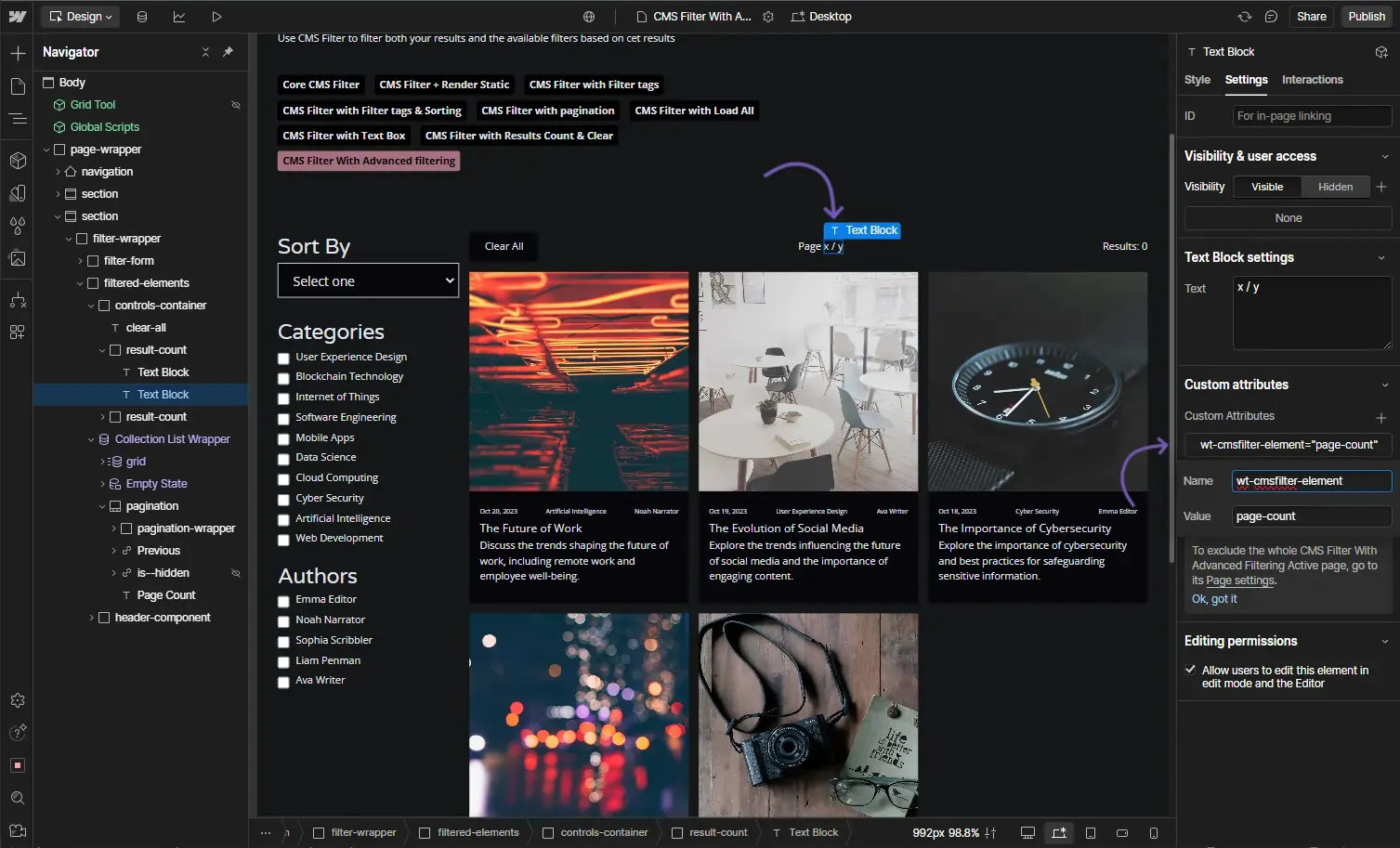
OptionalCMS Filter - Page Count
Attribute to add
wt-cmsfilter-elementpage-countInstructions
This element will display the current page out of x in the pagination which is taken straight from the pagination element on Webflow. In order for this to work the default pagination MUST be in site, no matter if it is hidden.
If this attribute is used, Webflow's default pagination will be removed.
How does it look?
OptionalCMS Filter - Reset IX2 Animations
Attribute to add
wt-cmsfilter-resetix2trueInstructions
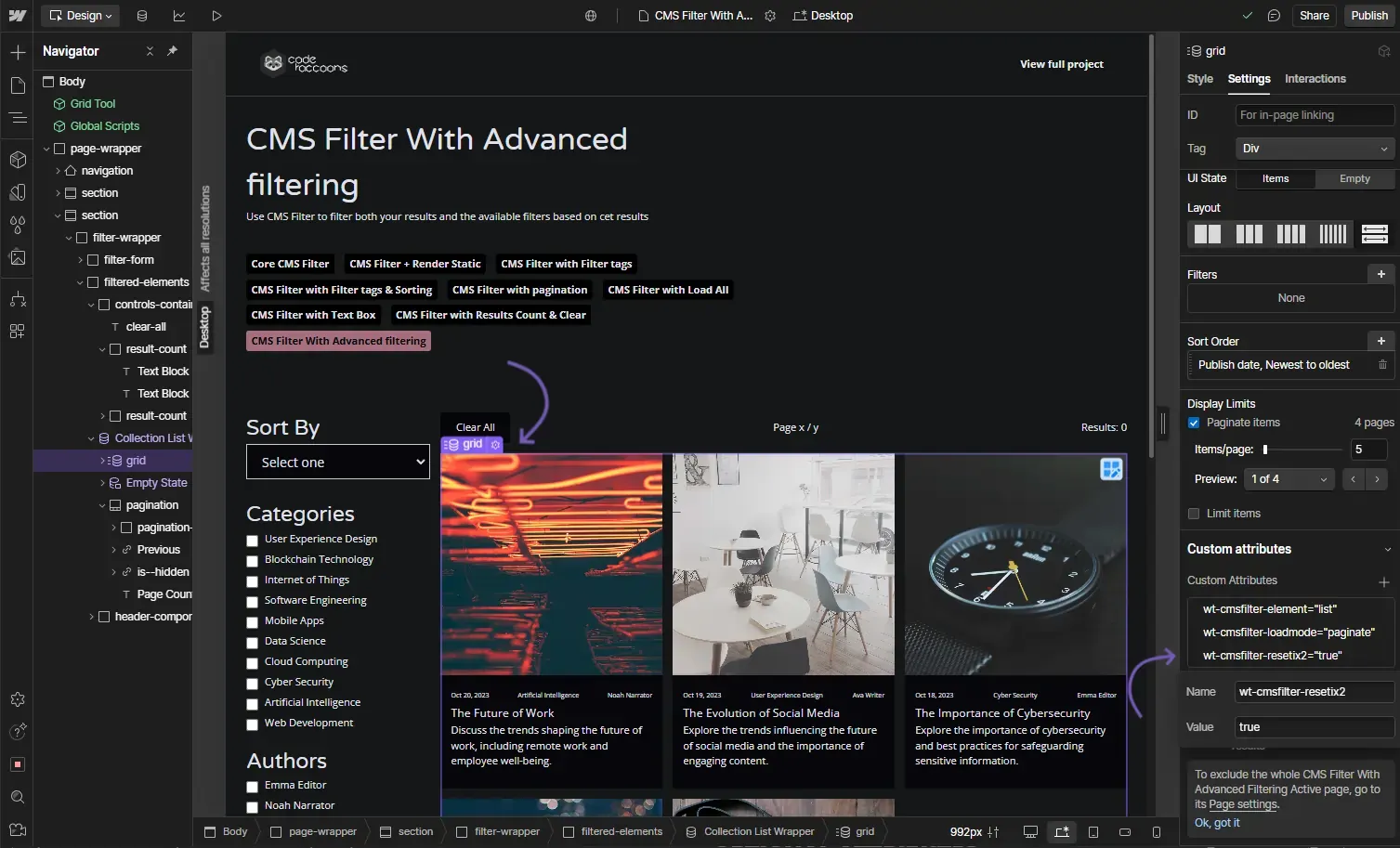
Adding this attribute will allow for the elements within the CMS list to get their Webflow animations reset while updating the list.
I want to make sure the elements on this list reset their animation when updated
This attribute goes in the CMS collection list with the attribute wt-cmsfilter-element="list" on it
How does it look?