Count Up
Animate numbers counting up to a specific value. Perfect for dynamic stats or milestones on your site.
Copy the Count Up <script> and paste into the <head> of your page.
<!-- [WebTricks by CodeRaccoons] - Count Up -->
<script async src="https://cdn.jsdelivr.net/gh/TheCodeRaccoons/WebTricks@1/Dist/Functional/CountUp.min.js"></script>Required attributes
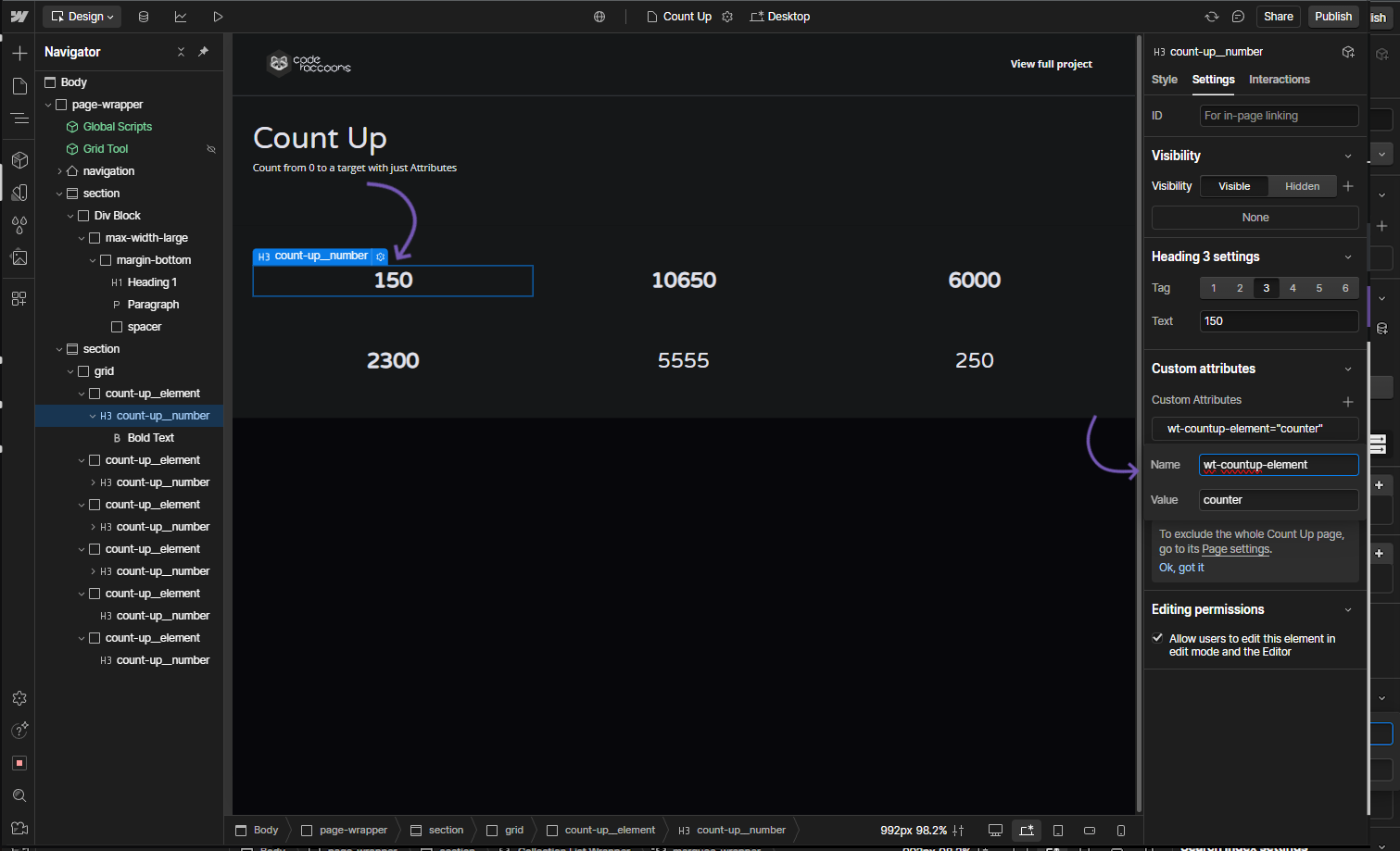
Count Up - Counter Element
Attribute to add
Name
wt-countup-elementValue
counterInstructions
Assign this attribute to the element that will show the count-up value.
How does it look?
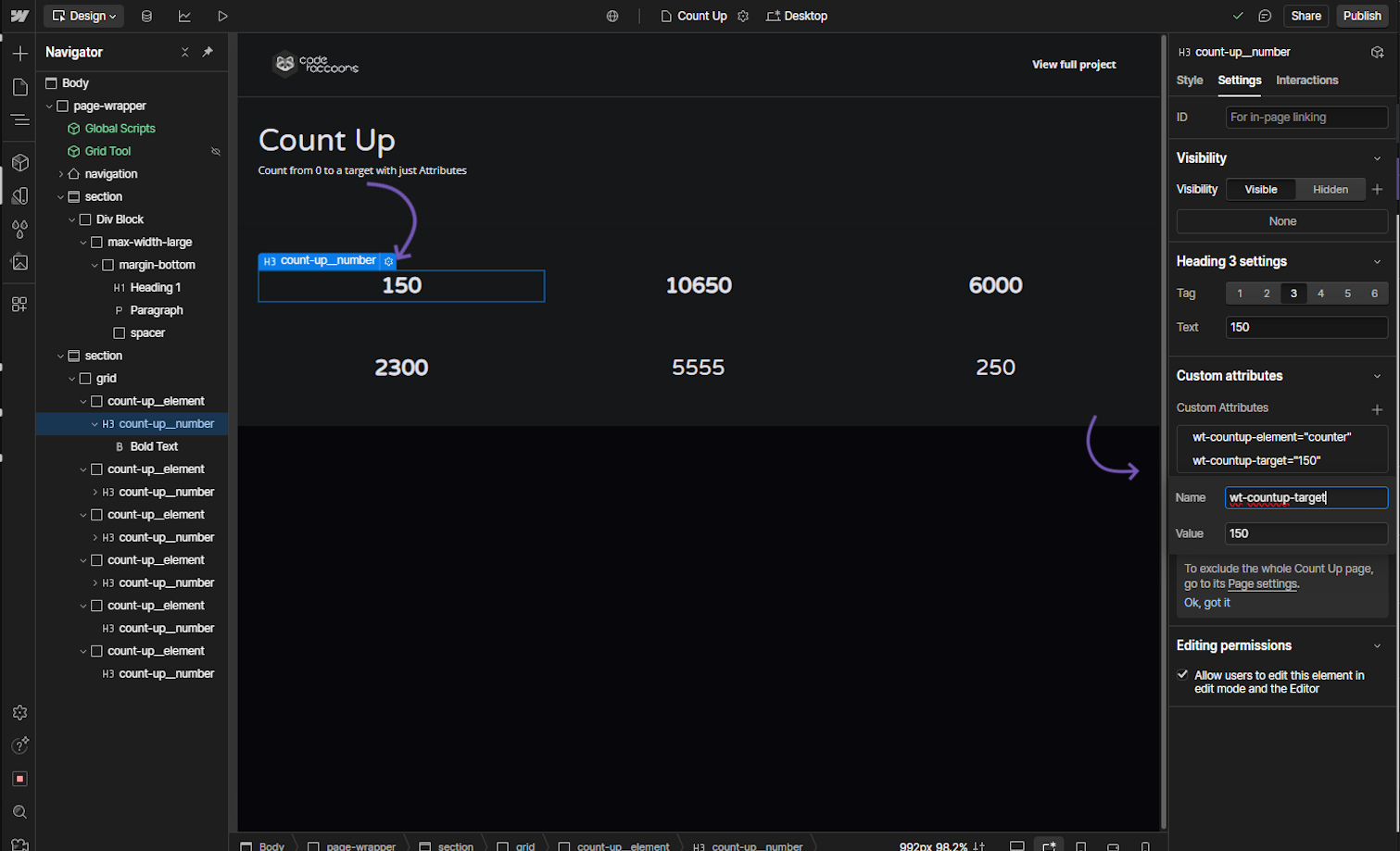
Count Up - Target Value
Attribute to add
Name
wt-countup-targetValue
0 (default)Instructions
Set this attribute to the target number the counter should reach.
How does it look?
Optional attributes
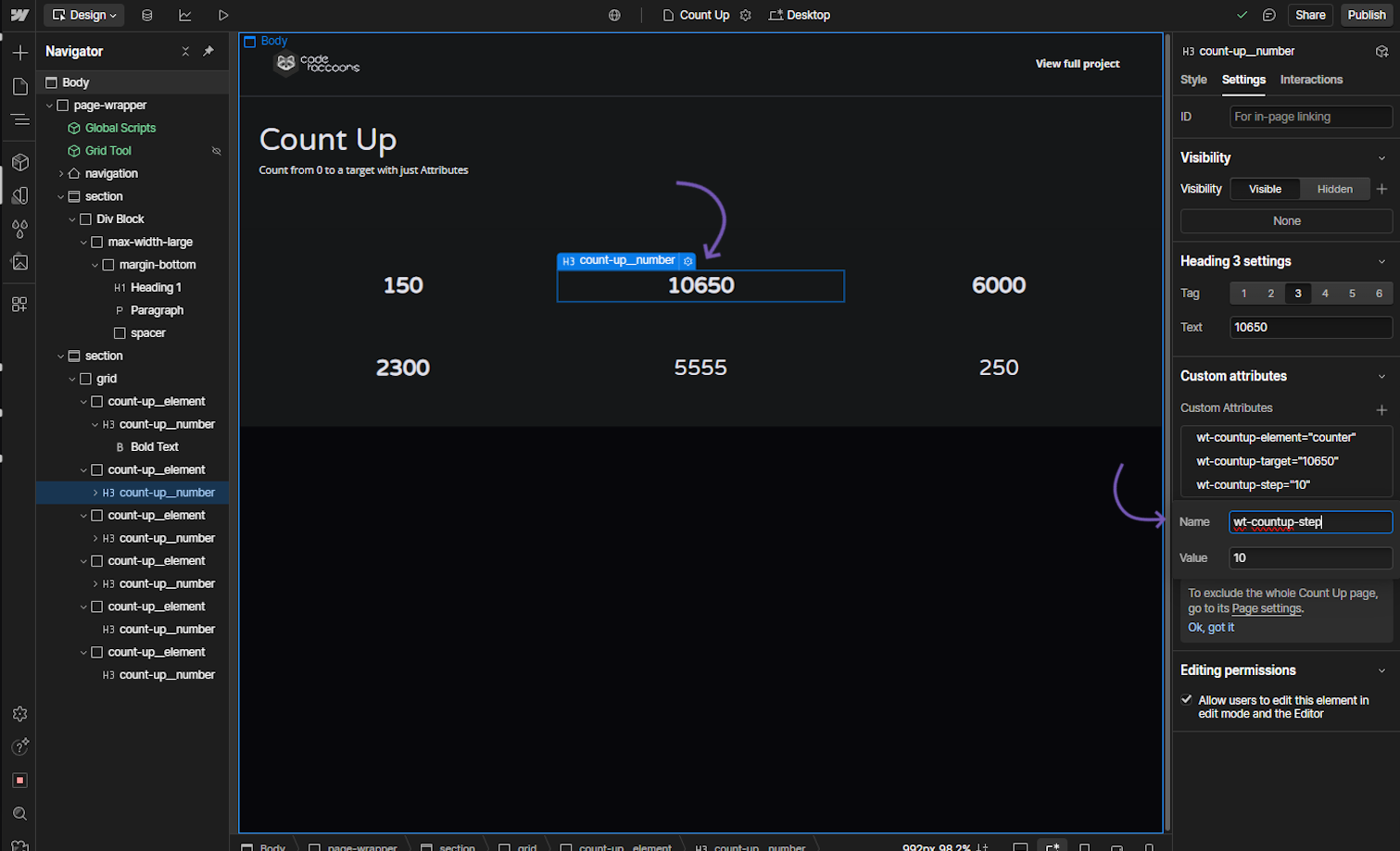
OptionalCount Up - Step
Attribute to add
Name
wt-countup-stepValue
1 (default)Instructions
Set this attribute to define the increment value for counting up.
How does it look?
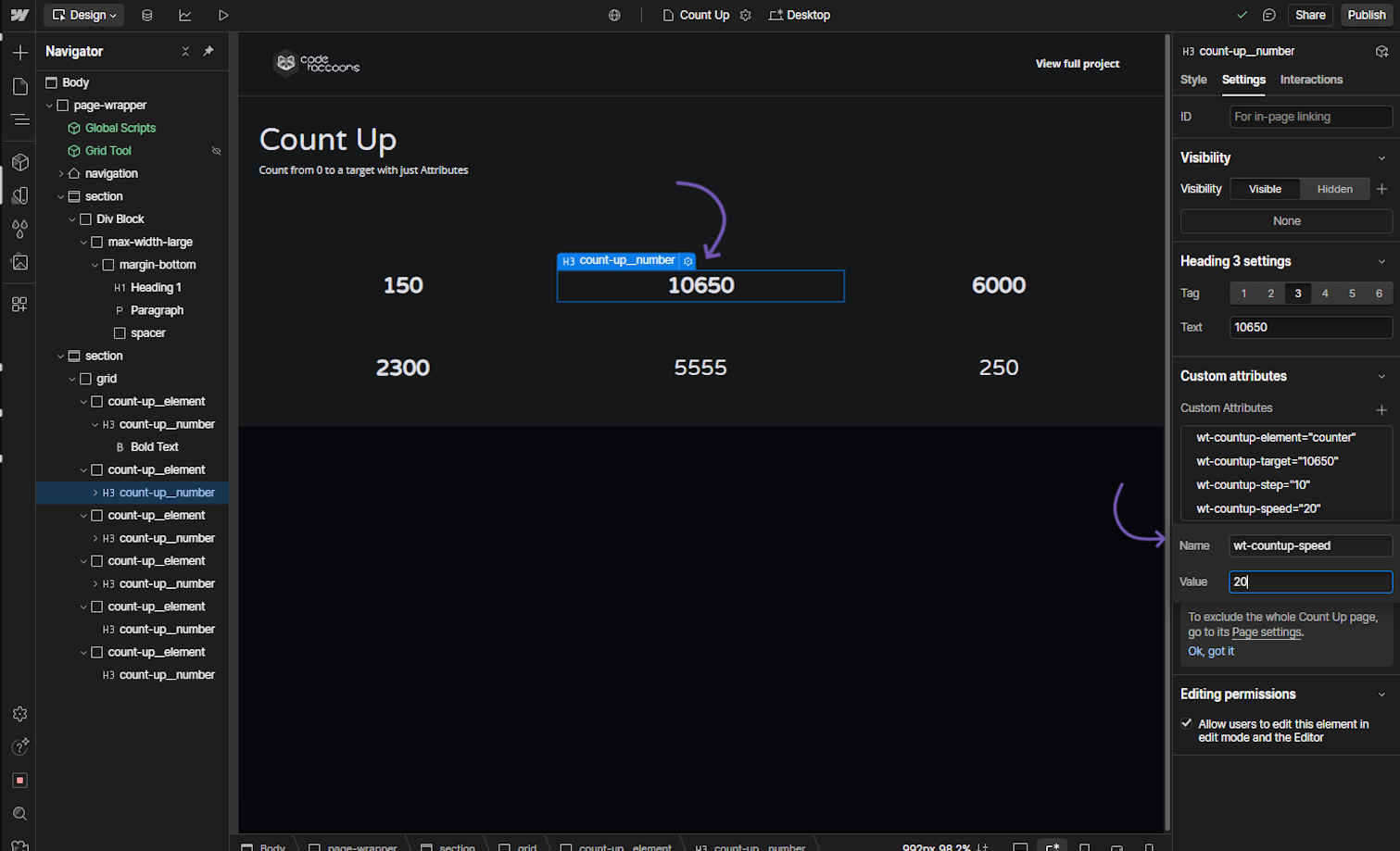
OptionalCount Up - Speed
Attribute to add
Name
wt-countup-speedValue
10 (default)Instructions
Set this attribute to control the speed of the count-up animation.
How does it look?
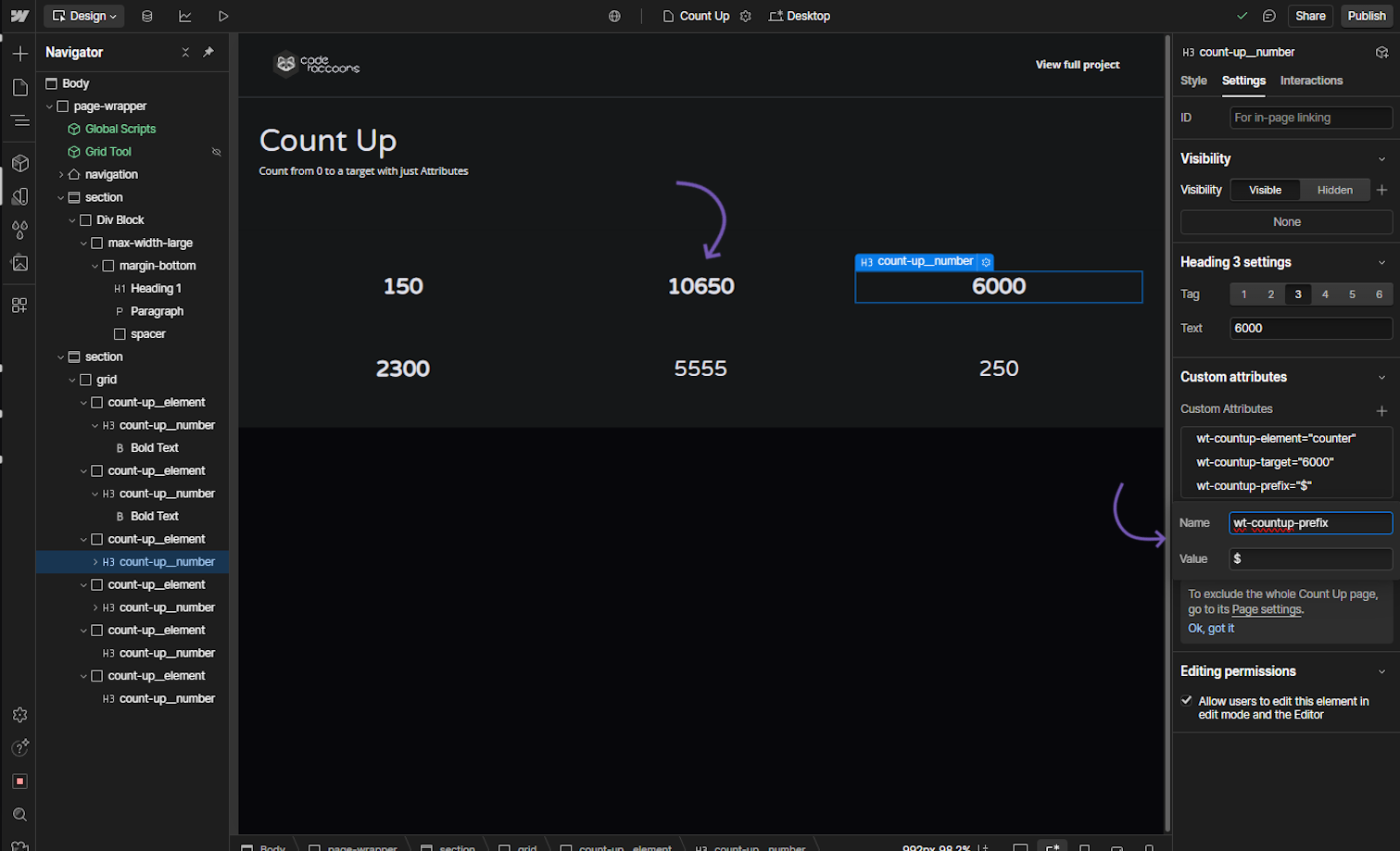
OptionalCount Up - Prefix
Attribute to add
Name
wt-countup-prefixValue
{Prefix value}Instructions
Set this attribute to add a prefix (e.g., currency symbol) before the number.
How does it look?
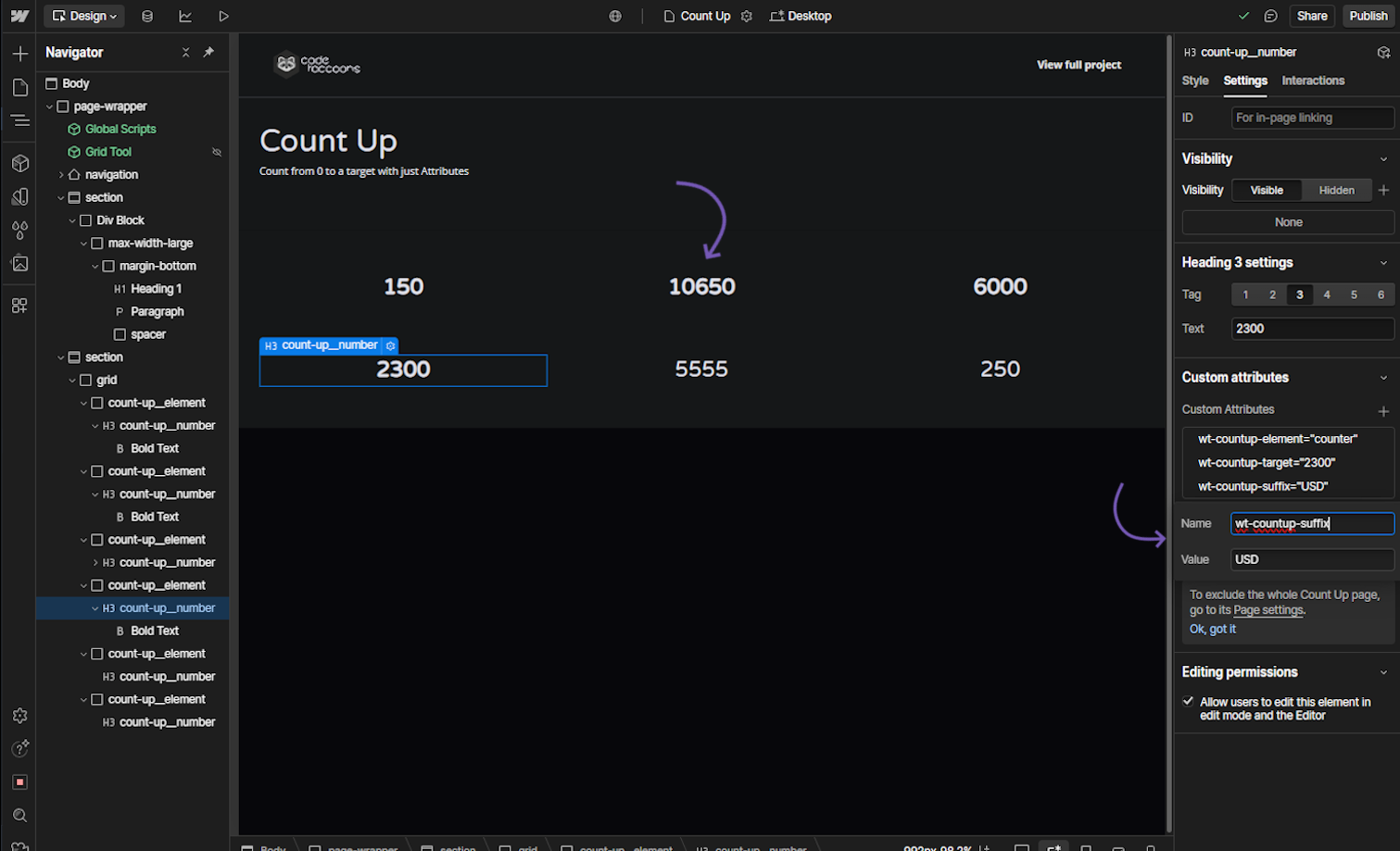
OptionalCount Up - Suffix
Attribute to add
Name
wt-countup-suffixValue
{Suffix String}Instructions
Set this attribute to add a suffix (e.g., unit) after the number.
How does it look?