Hide Container
Automatically hide CMS list containers when no items are present, keeping your design clean and efficient.
Copy the Hide Container <script> and paste into the <head> of your page.
<!-- [WebTricks by CodeRaccoons] - Hide Container -->
<script async src="https://cdn.jsdelivr.net/gh/TheCodeRaccoons/WebTricks@1/Dist/WebflowOnly/HideContainer.min.js"></script>Required attributes
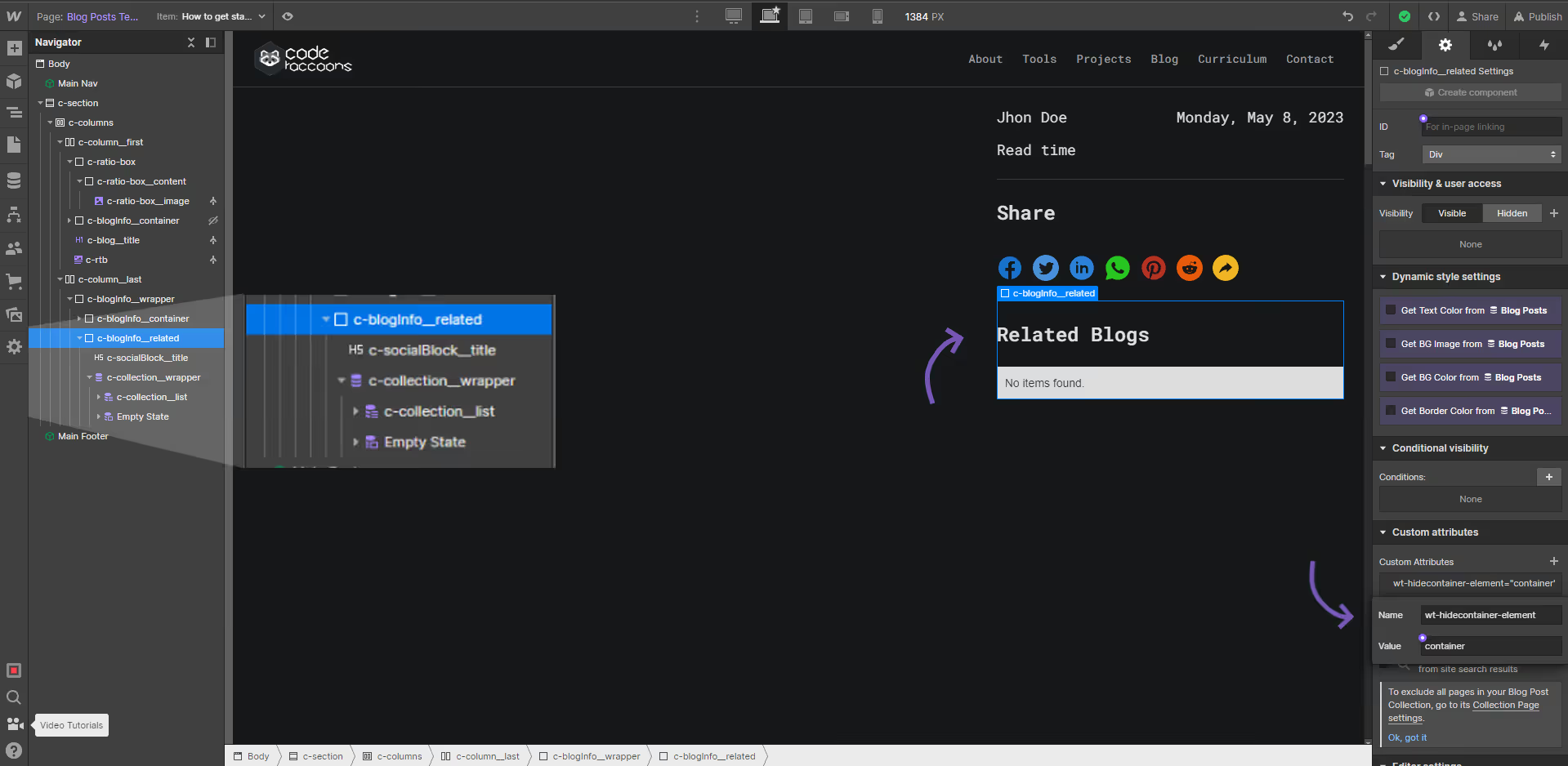
hc target container
Attribute to add
Name
wt-hidecontainer-elementValue
containerInstructions
This attribute will define what should be hidden when the collection list is empty.
The element can be a section, container, the collection list wrapper, anything we don't want to show when the collection list is empty.
the collection list MUST be a child element of this element.
How does it look?
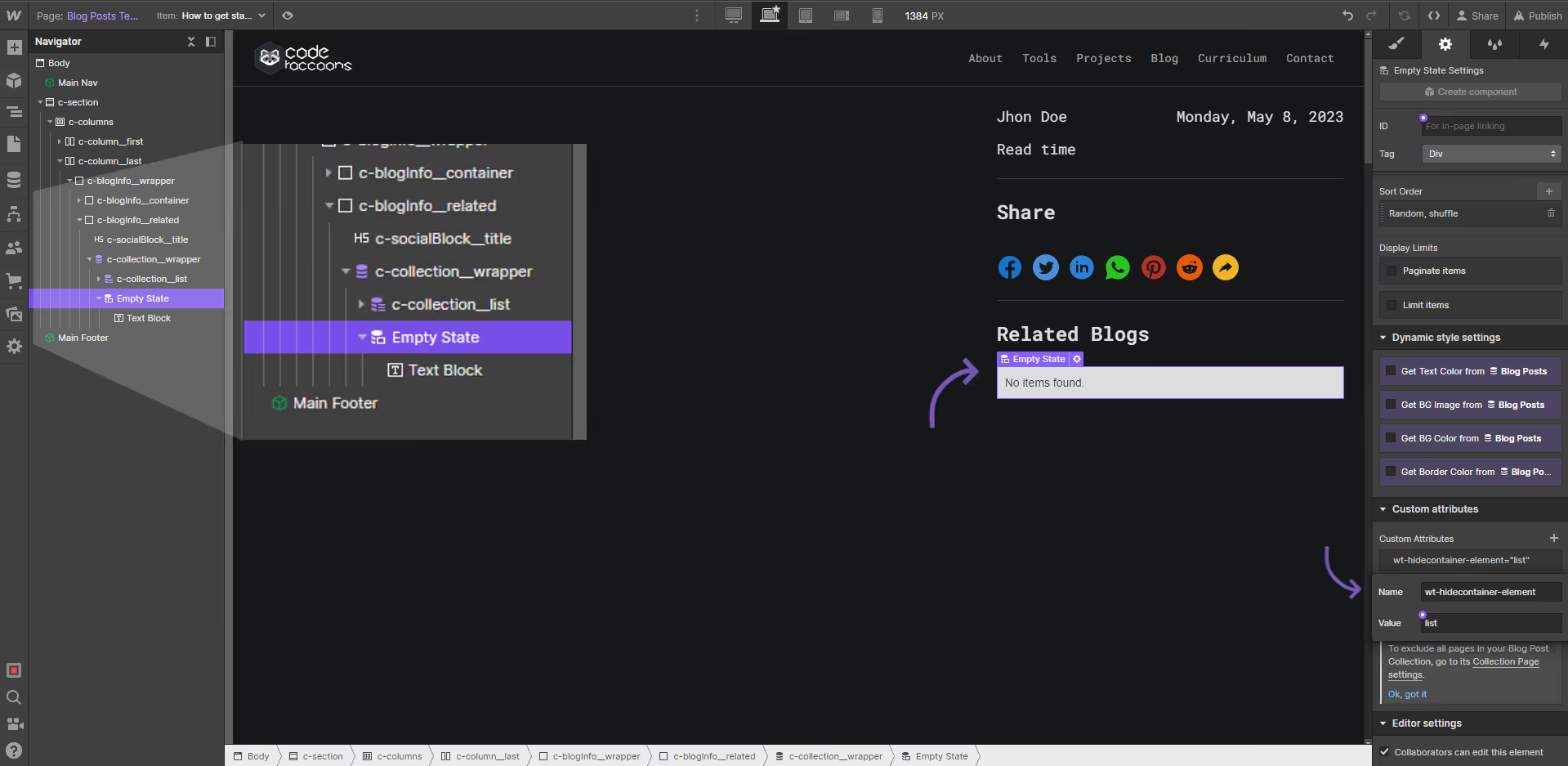
hc target container list
Attribute to add
Name
wt-hidecontainer-elementValue
emptyInstructions
This attribute will be checking whether or not the collection list is empty, in case it is it will hide the section completely.
the collection list MUST be a child of the element with the wt-hidecontainer-element="container" attribute.
How does it look?