Mirror click
Mirror a click event from one element to another. Create synchronized actions with a single click.
Copy the Mirror click <script> and paste into the <head> of your page.
<!-- [WebTricks by CodeRaccoons] - Mirror click -->
<script async src="https://cdn.jsdelivr.net/gh/TheCodeRaccoons/WebTricks@1/Dist/WebflowOnly/MirrorClick.min.js"></script>Required attributes
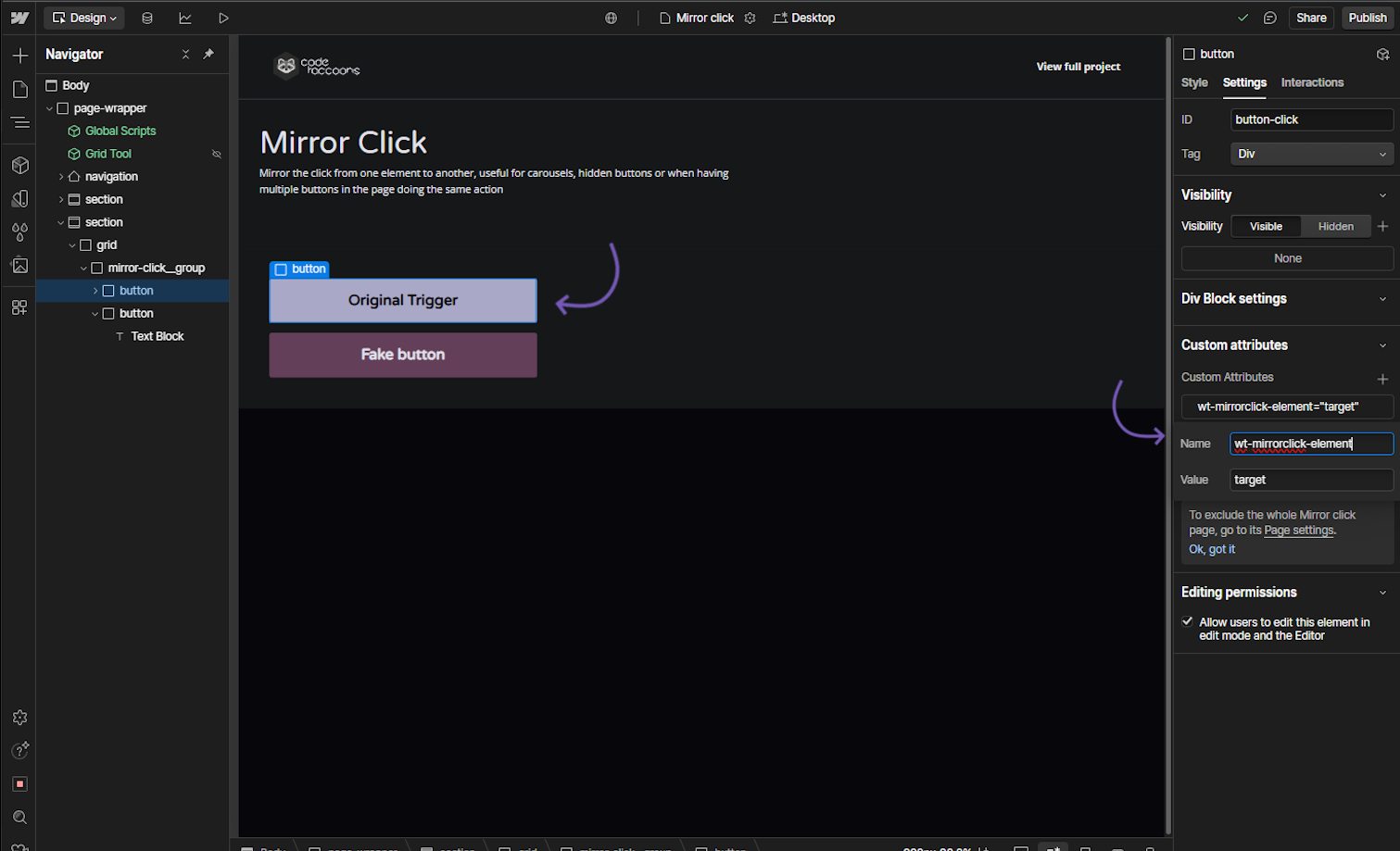
Mirror Click - Target Element
Attribute to add
wt-mirrorclick-elementtarget-{index}Instructions
Assign this attribute to the element that should be clicked programmatically.| The index will be based on the number of Mirror Click elements needed. (e.g. target for the first, target-2 for the second, target-3 for the third and so on).
I want this to be the target element that will get the click event when the trigger is activated.
Target element
How does it look?
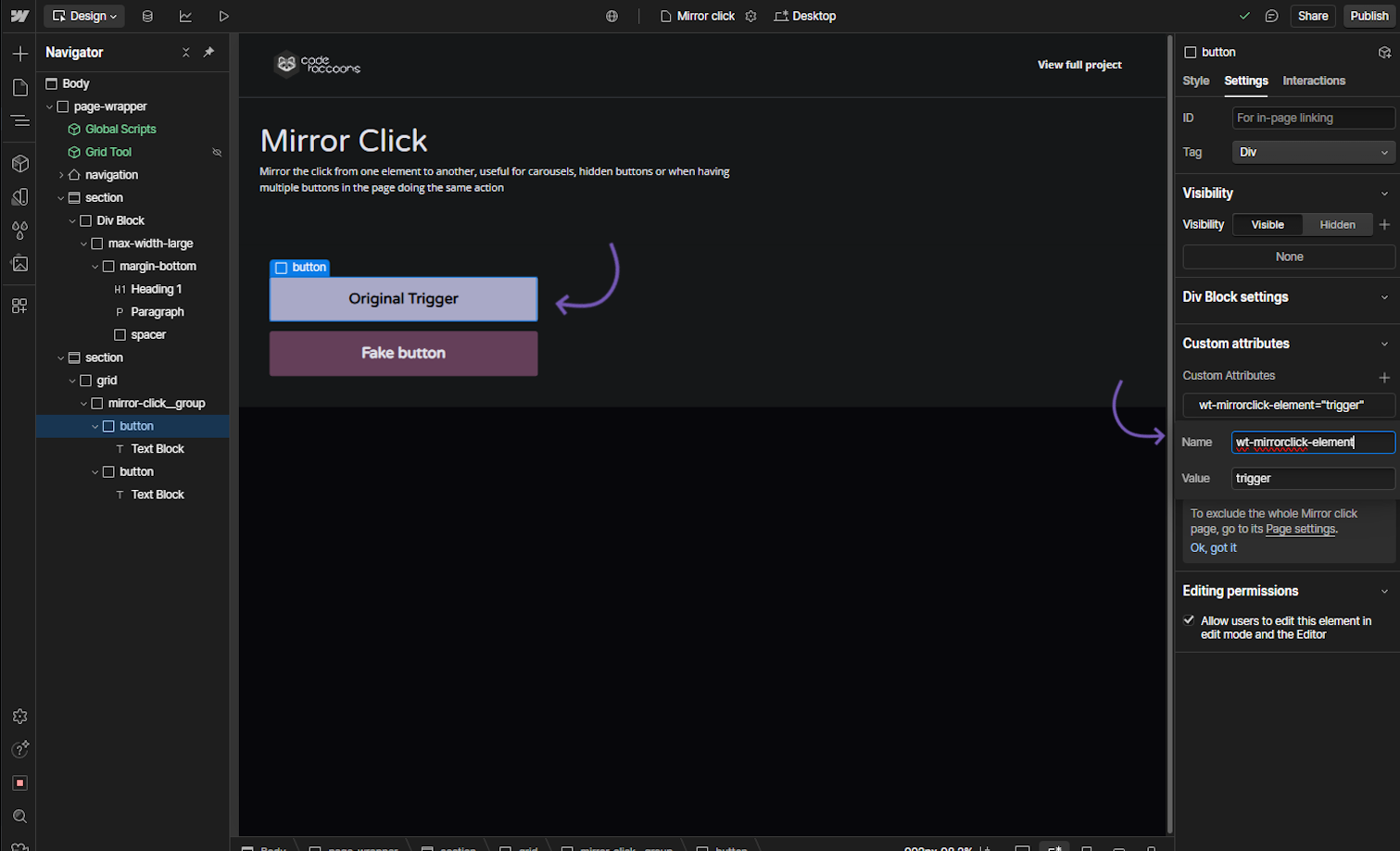
Mirror Click - Trigger Element
Attribute to add
wt-mirrorclick-elementtrigger-{index}Instructions
Assign this attribute to the element that should be clicked programmatically.| The index will be based on the number of Mirror Click elements needed. (e.g. trigger for the first, trigger-2 for the second, trigger-3 for the third and so on).
I want this element to trigger a click on a target element.
Trigger element
How does it look?