Read Time
Automatically calculate and display estimated reading time for any article or text on your site.
Copy the Read Time <script> and paste into the <head> of your page.
<!-- [WebTricks by CodeRaccoons] - Read Time -->
<script async src="https://cdn.jsdelivr.net/gh/TheCodeRaccoons/WebTricks@1/Dist/Functional/ReadTime.min.js"></script>Required attributes
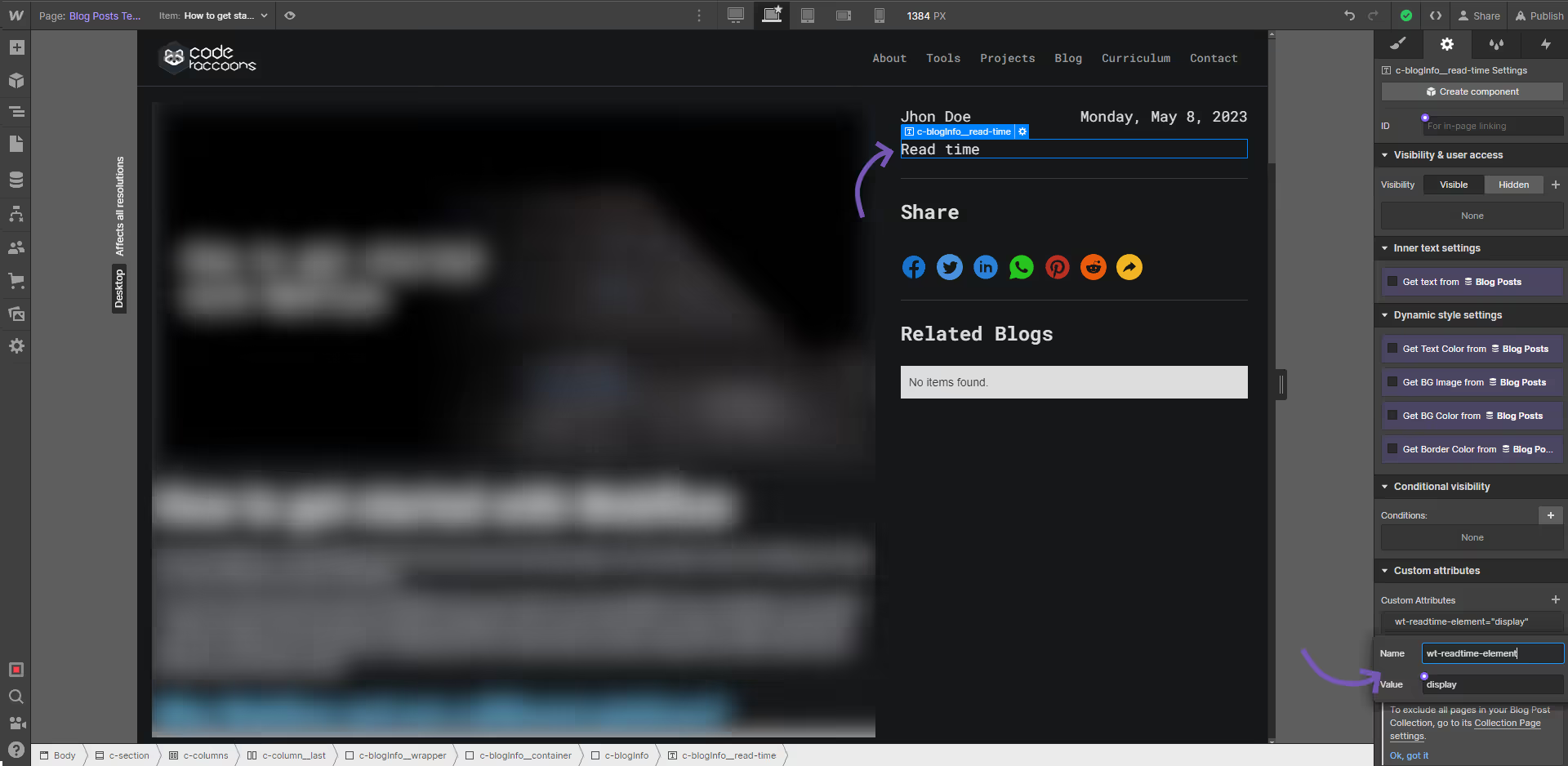
rt display element
Attribute to add
wt-readtime-elementdisplayInstructions
This Text field will be showing the time it'll take to read the selected section.
we can have multiple text fields within the page with this attribute and all of them will show the value.
How does it look?
rt article container
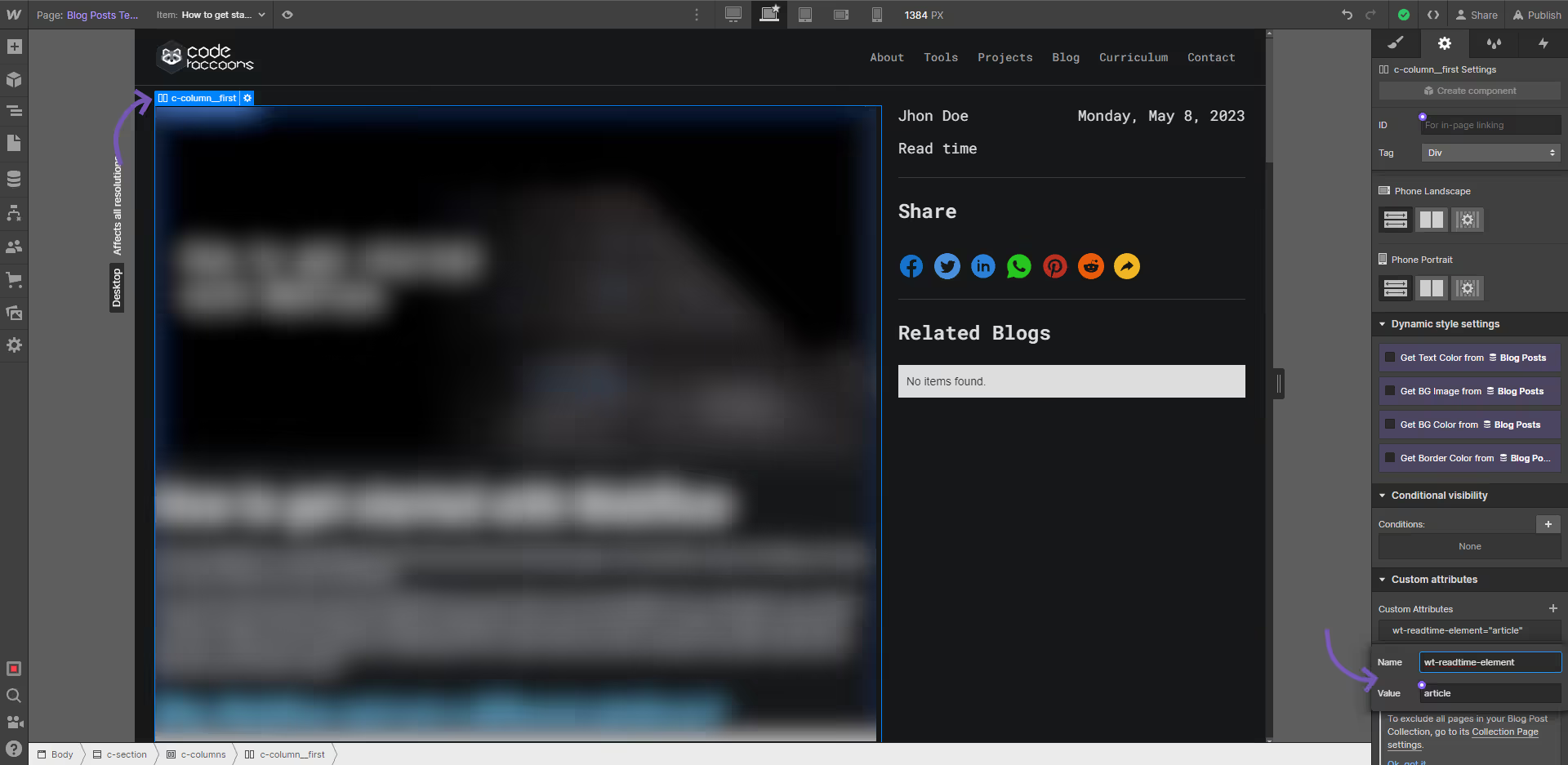
Attribute to add
wt-readtime-elementarticleInstructions
This element will be the container that holds the text that will be used to calculate the time to read.
This can be any element that contain text inside but make sure all of the content to be calculated is within it.
How does it look?
Optional attributes
Optionalrt words per minute
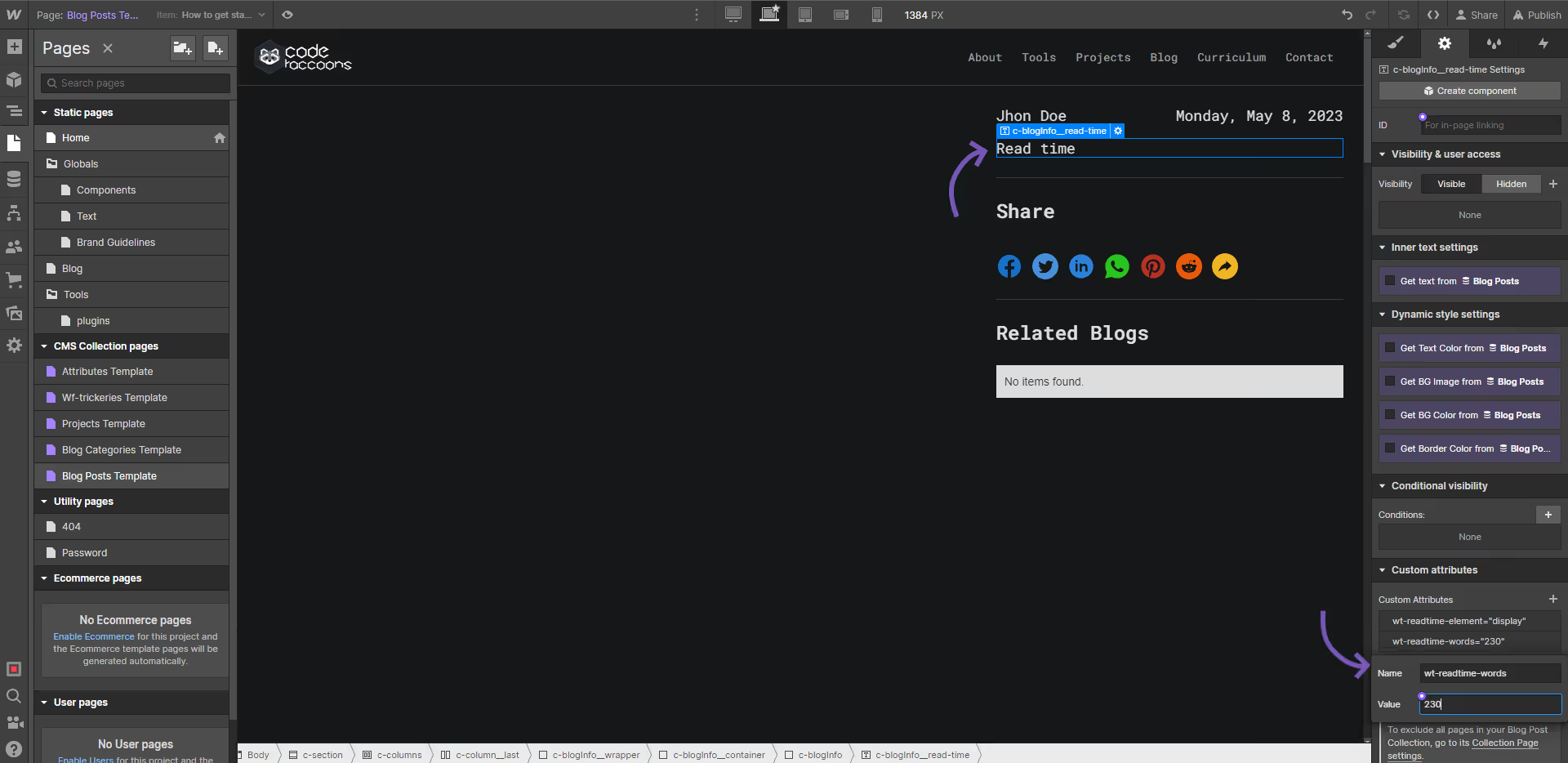
Attribute to add
wt-readtime-words256Instructions
Add this to the text element that is holding the display Attribute.
the read time calculation is using a default read time of 225 words per minute. This attribute will override the amount of words per minute for the calculation.
How does it look?
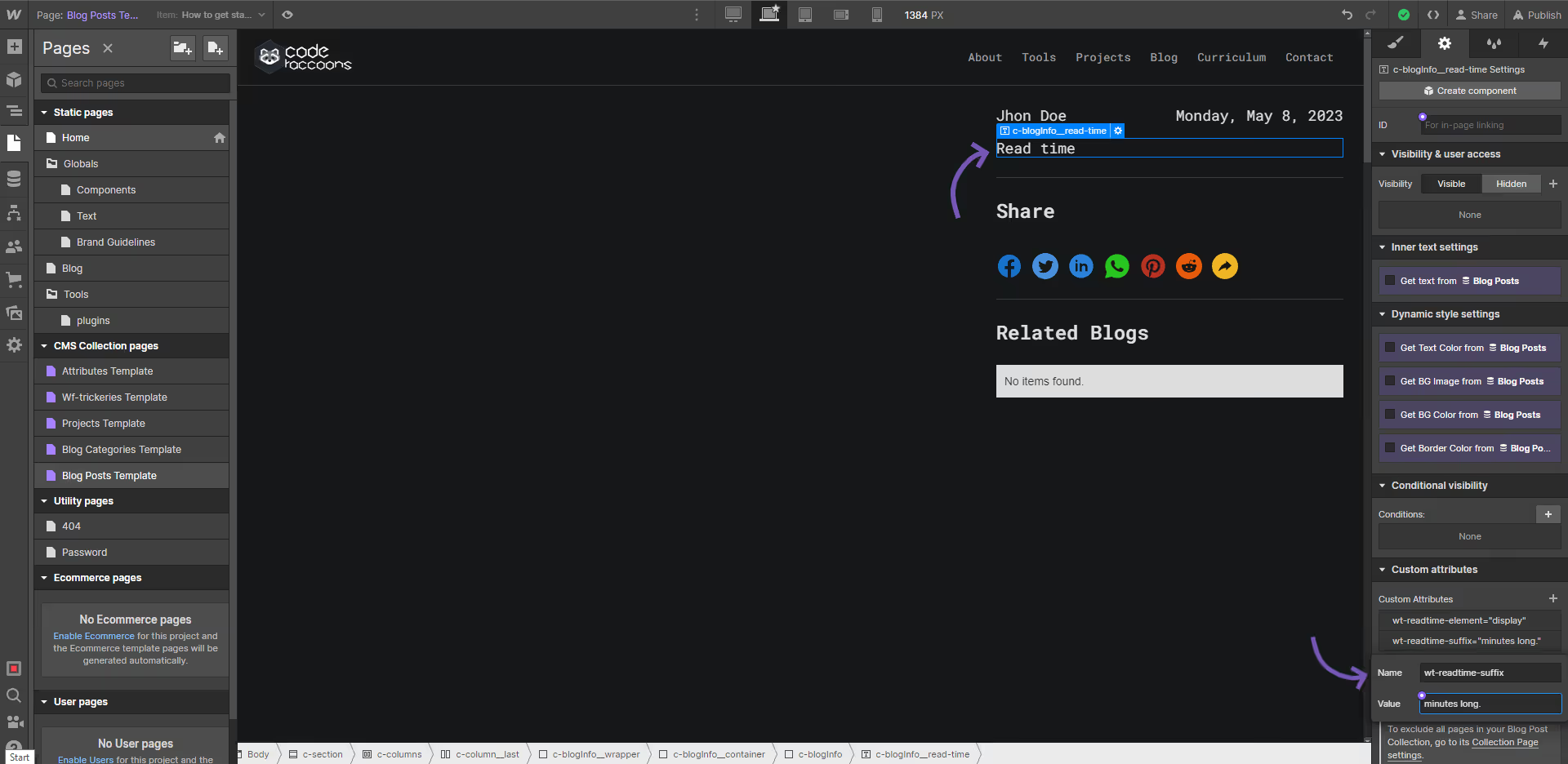
Optionalrt suffix
Attribute to add
wt-readtime-suffixsuffixInstructions
This will be added at the end of the time calculation.
By default it'll say "x minutes" minutes being the suffix, if this tag is added the minutes will be replaced by whichever text the attribute has.
this does not apply to a flat minute which will show up as "a minute".
How does it look?
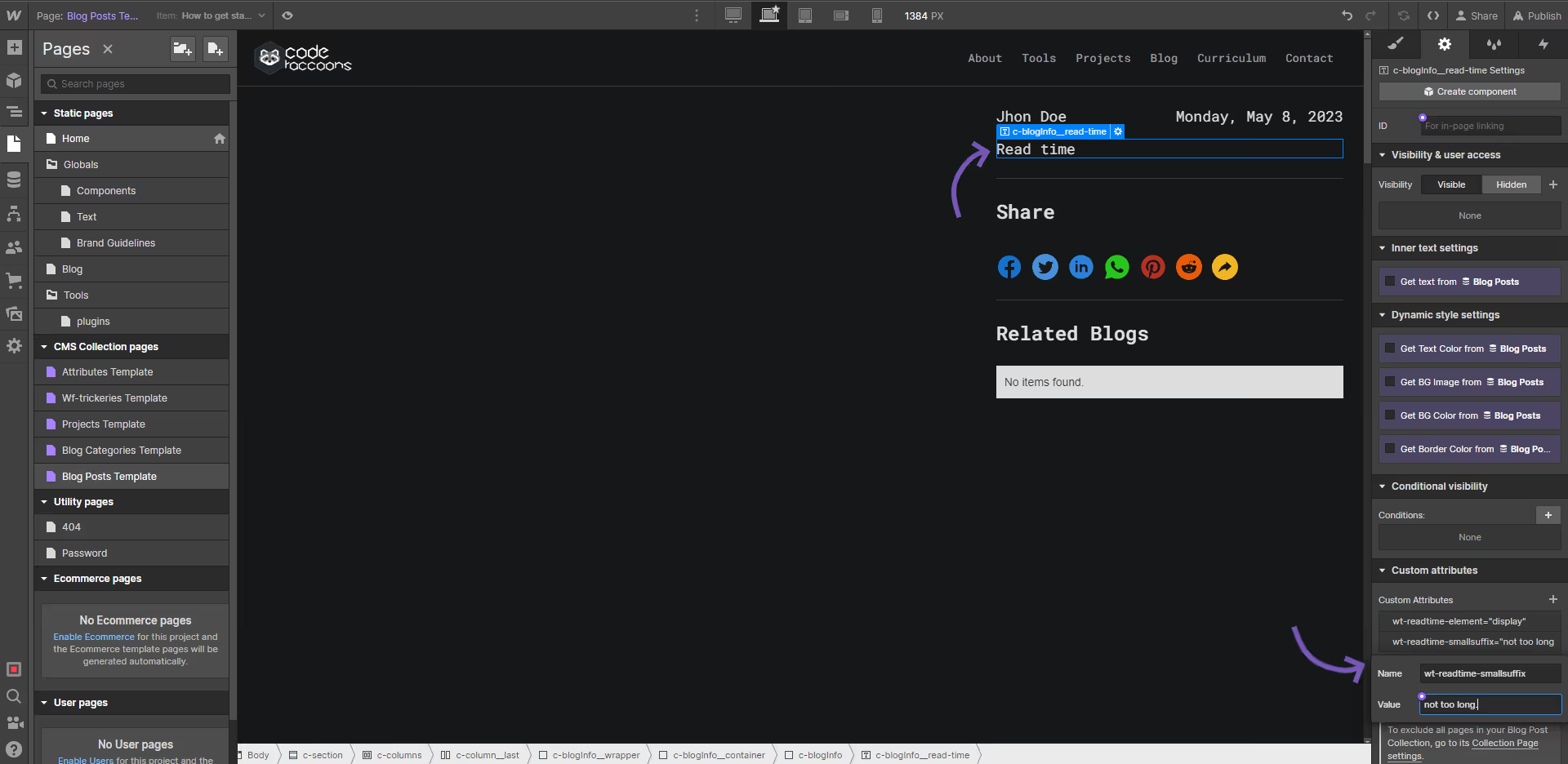
Optionalrt small suffix
Attribute to add
wt-readtime-smallsuffixsmall suffixInstructions
This will be added if the text takes less than a minute to read.
By default it'll say "Less than a minute", if this tag is added this phrase will be replaced by whichever text the attribute has.
this does not apply to a flat minute which will show up as "a minute".
How does it look?