Render Static
Render static components within CMS lists after a set number of elements. Keep your layouts structured and organized.
Copy the Render Static <script> and paste into the <head> of your page.
<!-- [WebTricks by CodeRaccoons] - Render Static -->
<script async src="https://cdn.jsdelivr.net/gh/TheCodeRaccoons/WebTricks@1/Dist/WebflowOnly/RenderStatic.min.js"></script>Required attributes
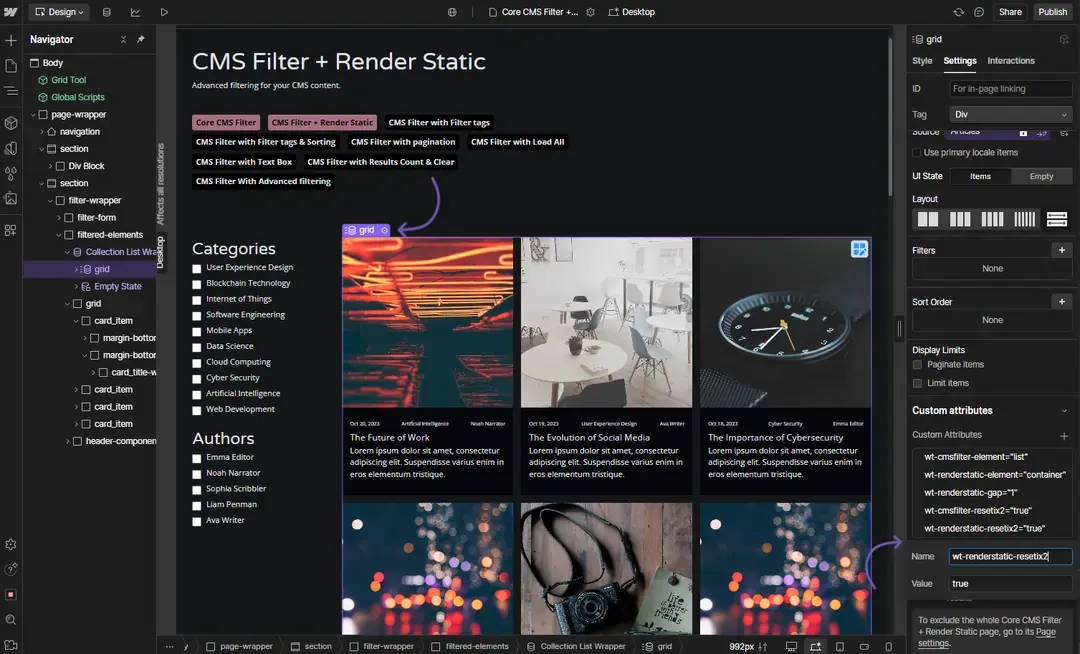
Render Static - Container
Attribute to add
wt-renderstatic-elementcontainerInstructions
Assign this attribute to the CMS List View, container that will hold the dynamically inserted cloneable elements.
How does it look?
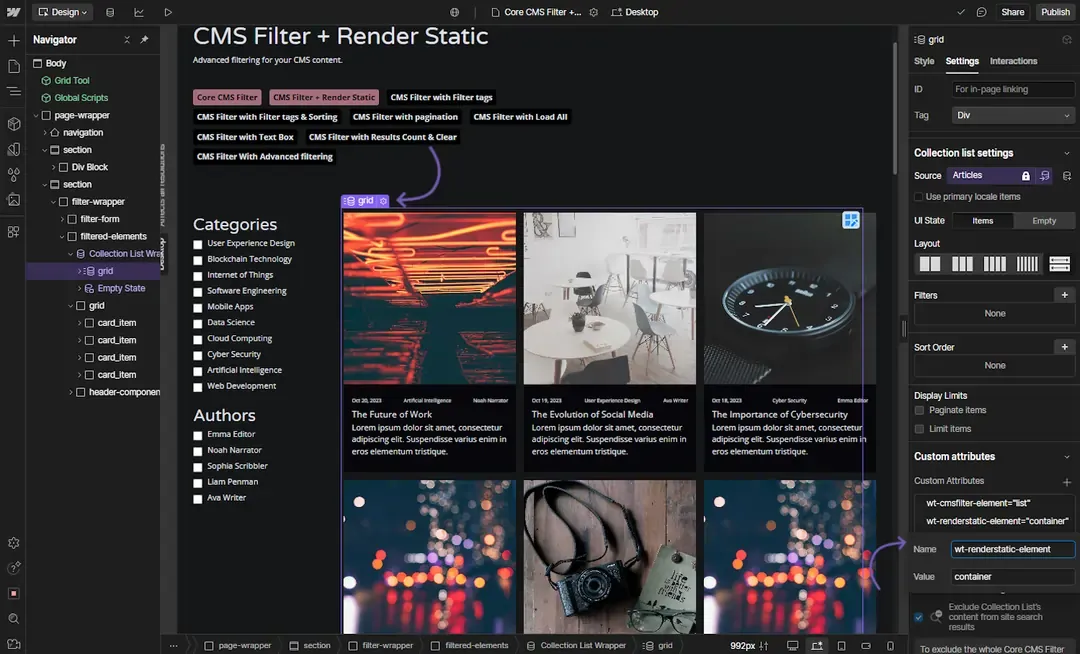
Render Static - Cloneable
Attribute to add
wt-renderstatic-elementcloneableInstructions
Assign this attribute to elements that should be cloned and rendered dynamically.
The elements NEED to be visible but they can be wrapped in a container with Display set to hidden if needed
Defines elements that can be cloned and inserted into the container.
Add this to each of the elements you want to show in the CMS List.
How does it look?
Optional attributes
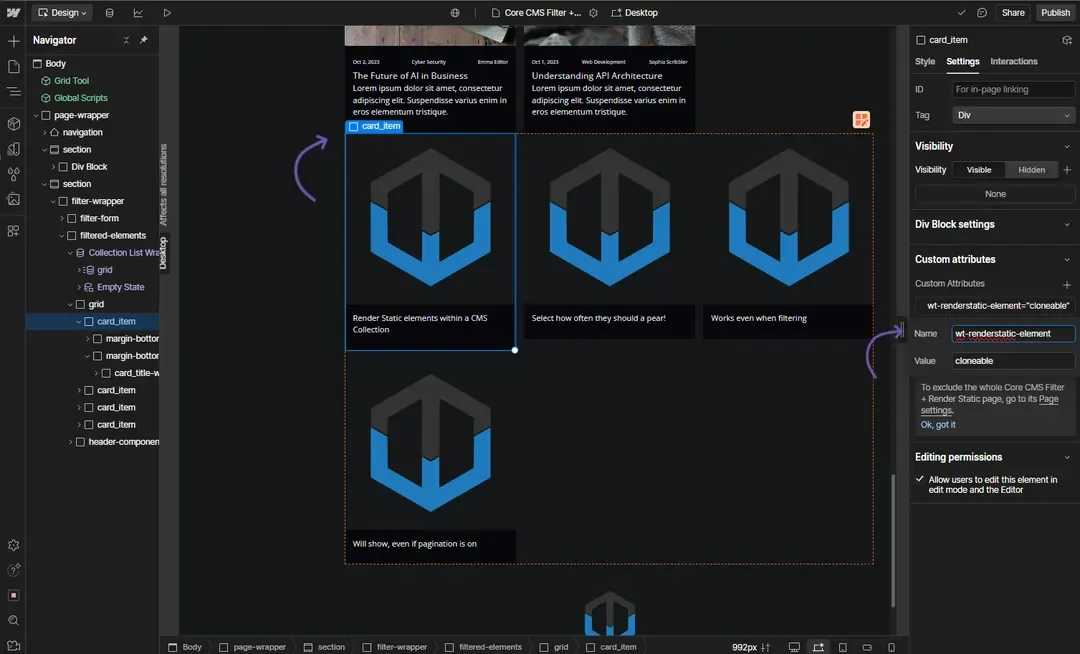
OptionalRender Static - Gap
Attribute to add
wt-renderstatic-gap1 (default)Instructions
Set this attribute to control how frequently cloneables are inserted into the container.
How does it look?
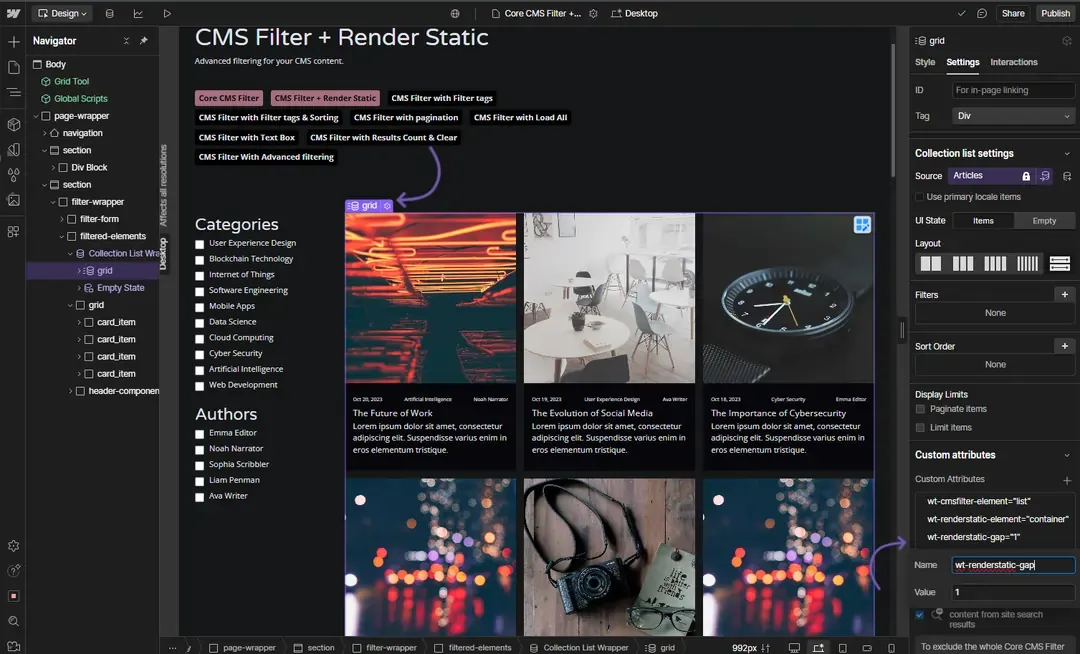
OptionalRender Static - resetix2
Attribute to add
wt-renderstatic-resetix2trueInstructions
This attribute allows for the cloneable elements from Render Static to keep their Webflow interactions when being re-rendered
I want the static cards in this CMS List to keep their webflow animations
Add this attribute to the CMS List with the attruibute "wt-renderstatic-element='container'"
How does it look?