TL;DR
- Loops let you repeat code automatically.
- Use for when you know how many times to loop.
- Use while or do...while when looping until a condition is met.
- Avoid infinite loops (your browser will thank you).
- Arrays and loops are best friends.
One of the things you will stumble upon a lot while coding is repetition, having to do the same task over and over again until something happens. For this cases you don’t want to just duplicate your code to run those multiple operations. There is a better way, loops.
There are many different kinds of loops, but they all essentially do the same thing: they repeat an action for a number of times.
In this article, we’ll cover the main types: for, while, and do...while.
Now, while this series is kept pretty first-time friendly I would recommend taking a look at both the operators article and the control flow one as this will be pretty fundamental for what we’ll be doing here.
The for Loop
This is the most common loop and the one you’ll use most, It is particularly useful when you know exactly how many times you want to run something.
For example, let’s say I want to print the numbers from 1 to 5 in the console:
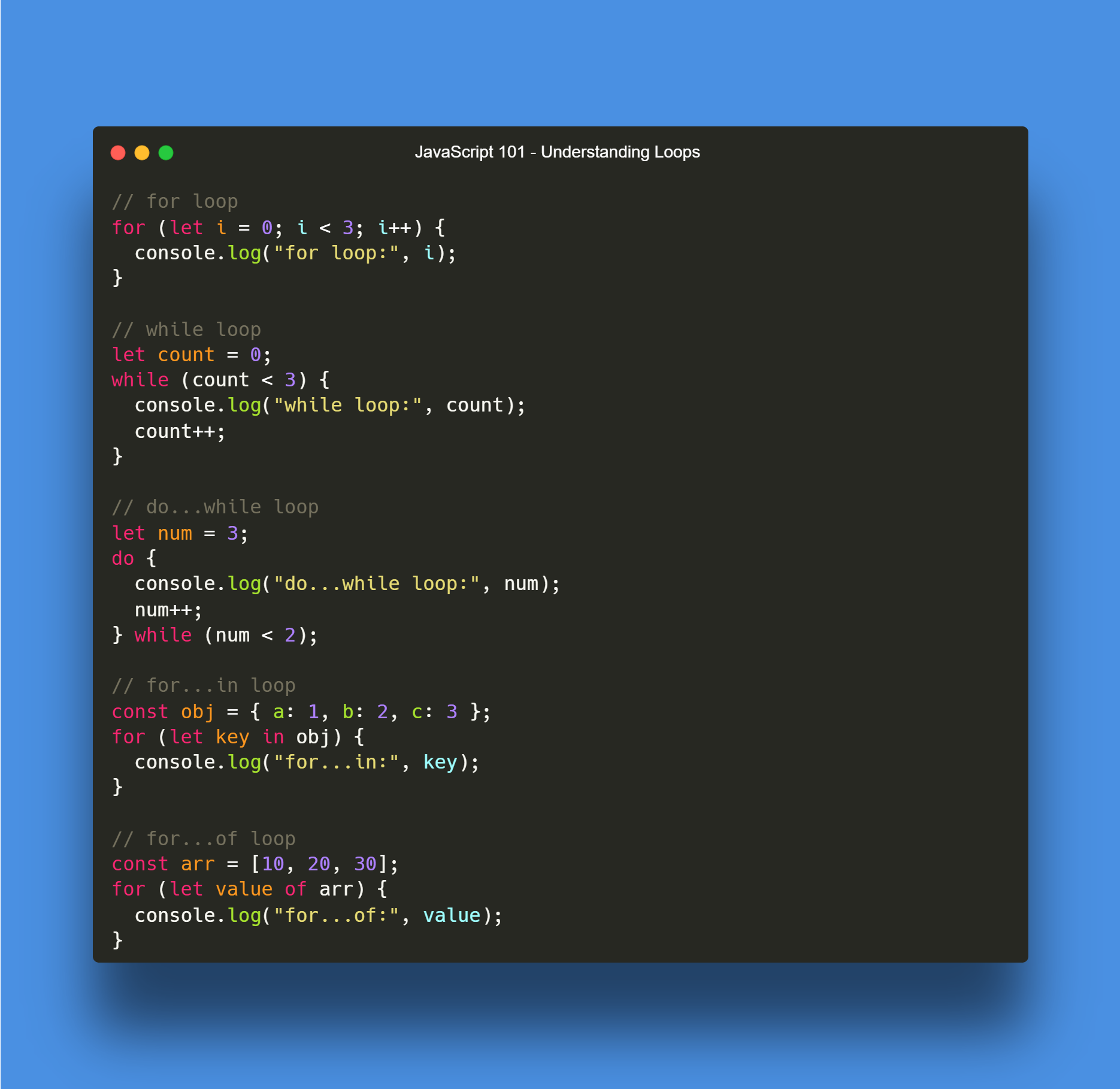
for (let i = 0; i <= 5; i++) {
  console.log("Loop number " + i);
}

//Output
Loop number 0
Loop number 1
Loop number 2
Loop number 3
Loop number 4
Loop number 5Let’s break it down. We start with i = 0 where i is the variable holding the current value we are on, now we ask the function to run until i <= 5 as you may remember from the past article this means it will run while the value goes above 5. Each iteration it runs we’ll increase the value of i by one with the i++.
The while Loop
The while loop helps you in cases in which you don’t know how many times you need to run a loop BUT there will be a specific condition that will evaluate as true at a given time. This allows us to run a function until this condition is met.
let count = 0;

while (count < 3) {
  console.log("Counting: " + count);
  count++;
}

// Output
Counting: 0
Counting: 1
Counting: 2💡 Bear in mind this particular loop has the potential to break your program is cet condition is never met, meaning you could potentially run an infinite loop when the condition is impossible to meet like trying to wait for a variable to become true but you never set a way for the variable to do so. Depending on the task you are performing you can run out of memory so always double check when using a while function.
When using while loops JavaScript will check if the condition is met before running the loop. If it’s false to begin with, the loop doesn’t run.
The do...while Loop
This loops work the same way as while loops, but the condition is checked after running the block once. Meaning no matter if the condition is met from the get go or if we need to make the condition be met in the inner part of the loop. It will always run at least once.
let num = 3;

do {
  console.log("Number is " + num);
  num++;
} while (num < 2);

//Output
Number is 3
Other type of for loops
We already talked about the for loop but there is a bit more to see on that we have 2 additional options when running this type of loops, the for…in and the for…of loops let’s take a look at what they have in common and their differences.
All 3 for loops will run on a similar syntax, which will be for ({condition & values}) In the case of the for…in loop, it will iterate over the property name while the for…of iterates over the property values:
const arr = [3, 5, 7];
arr.foo = "hello";

for (const i in arr) {
  console.log(i);
}
// Will print the variable key, in an array unless the key is stated (like is the case
// of arr.foo) the keys will be defined as a number, starting with 0;
// "0" "1" "2" "foo"

for (const i of arr) {
  console.log(i);
}
// Logs: 3 5 7
💡 A quick thing to note in this function is that Arrays are iterables, which we’ll talk about in the next part of the series. for...of uses the array’s iterator ([arrSymbol.iterator](https://developer.mozilla.org/en-US/docs/Web/JavaScript/Reference/Global_Objects/Array/Symbol.iterator)), which yields only the indexed elements (the array items), not arbitrary object properties like is the case of .foo hence why it isn’t included.
Wrapping things up
Loops are one of those things that may feel weird at first… but they are literally everywhere, and they’re super handy when you need to do something more than once without having to repeat yourself which makes them perfect tools for us devs.
In the next part, we’ll dig into array functions and see how JavaScript handles looping over objects. It gets a bit cooler from here on.
Until then, go write a loop or two, and enjoy the end of the year!
In a nutshell
Understanding loops